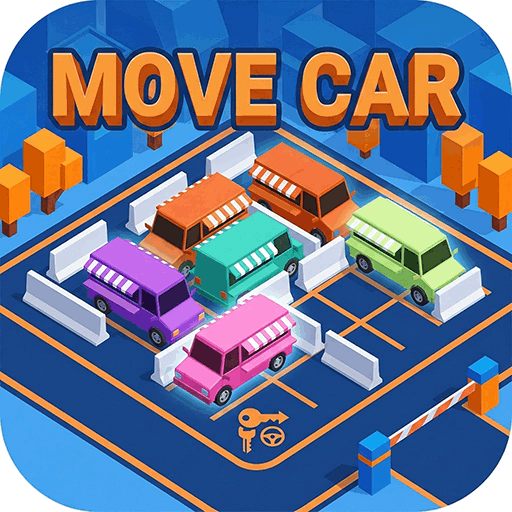
Move Car
Puzzle · Traffic Jam · Casual · Brain Teaser
More puzzle games
See all →


About Move Car
Move Car is a 3D traffic-jam puzzle built around one simple rule and one tight constraint. You look down on a small walled parking lot crammed with brightly colored cars, vans and buses, each frozen facing a single direction, with just one gate as the way out. Tap a vehicle and it drives straight ahead: if the lane to the exit is clear it leaves the lot, but if another vehicle blocks the way the two bump and the move is wasted. A meter labeled "Impact count" tracks a small budget of collisions you are not allowed to exceed, so every tap has to be planned. Each stage is cleared only when the lot is completely empty. Early levels are gentle, then they steadily pack in more vehicles, longer buses and nastier gridlocks, turning a casual one-tap game into a real order-of-operations brain teaser.
How to play Move Car
- Study the lot: every car, van and bus is frozen facing one fixed direction, and there is only a single exit gate.
- Tap (desktop: click) a vehicle to make it drive straight forward in the direction it is pointing.
- If its lane to the gate is clear the vehicle leaves the lot; if another vehicle is in the way they collide and the move is wasted, counting against your Impact limit.
- Work out the order — move whichever vehicle already has an open lane first, then use the freed space to release the ones trapped behind it.
- Clear every vehicle out of the lot before your Impact count reaches its cap to complete the level.
Controls
- Desktop: Click a vehicle to send it driving forward out of the lot; use the on-screen Back, Settings and Skip buttons for menus.
- Mobile / tablet: Tap a vehicle to send it driving forward; tap the on-screen buttons to go back, open settings, or skip a stage.
Move Car tips & strategy
- Trace a vehicle's whole path to the gate before you tap it — a hidden blocker turns a good idea into a wasted impact.
- Clear the vehicles nearest the exit first so the cars deeper in the lot get an open lane to follow.
- Long buses and vans occupy more cells and block more lanes at once, so they often have to leave before the small cars around them can move.
- Two vehicles facing into the same corridor create a deadlock — decide which one must go first instead of tapping both.
- Guard your Impact budget: when you are unsure, move an obvious blocker rather than gambling on a tap that might crash.
- If a stage truly stalls you, the Skip button lets you move on, but try to solve it first to sharpen your pattern-reading.
What makes Move Car fun
3D isometric parking-lot puzzle with one-tap "drive forward" controls; an Impact-count collision budget that rewards planning over speed; colorful low-poly cars, vans and buses packed into a single-exit jam; progressively harder stages that add more vehicles and tighter gridlocks; a Skip option for stubborn levels; and instant HTML5 browser play on desktop or mobile with no download or sign-up.
Move Car gameplay video
Move Car FAQ
What kind of game is Move Car?
It's a 3D traffic-jam puzzle. You empty a packed parking lot by tapping vehicles so they drive out through the single gate, in the right order and without crashing into each other.
What does the 'Impact count' at the top mean?
It's your collision budget for the level (shown as something like 0/5). Each time a vehicle you tap bumps another instead of leaving, the count rises; reach the cap and you have to retry the stage.
How do I move a car?
Tap or click it once. The vehicle drives straight in the direction it is facing and exits the lot only if the lane to the gate is completely clear.
Does Move Car cost anything or need an install?
No. It's a free HTML5 game that runs in your browser on desktop or mobile — there's no download and no sign-up.
Who made Move Car?
This browser version is built with the Cocos engine and distributed through an HTML5 game network; no studio is credited inside the game. 'Move Car' is also a generic name shared by several near-identical traffic-jam games, so developer attribution is uncertain.
Games like Move Car
 Parking Jam 3D →
 Traffic Escape! →
🔥 Popular games
See all →






