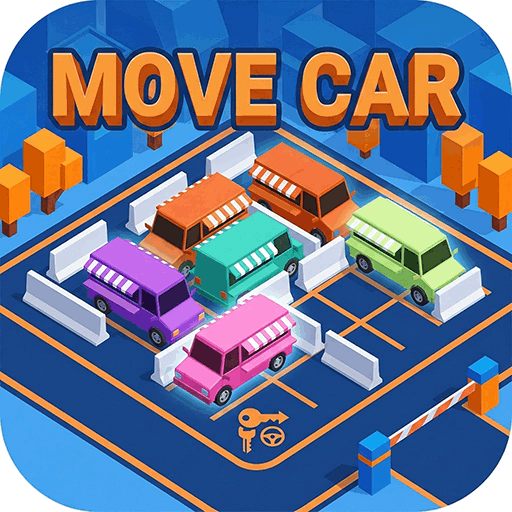
Move Car Walkthrough & Level Guide
How to beat Move Car — Unspecified — many sequential stages · Updated
Overview
Move Car looks casual, but every stage is really an order-of-operations puzzle wrapped in a limited collision budget. This walkthrough covers the general strategy that carries you from the gentle opening lots to the tightly packed late-game jams: how to read a layout, choose a move order, and protect your Impact count. Because the game ships many stages and versions can differ, it focuses on repeatable tactics rather than exact move-by-move solutions.
How Move Car levels work
Single-screen parking-jam puzzles that grow harder as you progress, with a Skip option (Unspecified — many sequential stages).
Stage-by-stage strategy
Learn the one rule that matters
In the opening lots there are only a handful of vehicles and plenty of empty space — use them to internalize the single rule: a vehicle only ever drives straight ahead in the direction it points, and it leaves only if that whole lane to the gate is empty. Tap the cars already aimed at the exit with a clear run first; these free 'gimme' moves are how each level starts to unravel.
Clear the exit lane, then work backward
Mid-game lots wall the gate off behind two or three vehicles. Identify the lane that feeds the exit and empty it first, because every car you remove opens the row or column behind it. Think one move ahead: before tapping, ask which new lanes this departure will open, and whether it sets up your next release or accidentally traps a car you still need to move.
Respect the Impact budget
The Impact count (often around five) is what turns Move Car from a tapping toy into a real puzzle. A blind tap into a blocked lane is a wasted collision you cannot get back, so trace each vehicle's full path to the gate before committing. When two vehicles face into the same corridor, only one can go cleanly — pick the one that leaves without a bump and move its blocker rather than forcing the crash.
Break late-game gridlock
Dense stages add long buses and vans that span several cells and block multiple lanes at once; these bulky vehicles usually have to leave early even when it feels counterintuitive. Look for the single 'key' vehicle whose departure loosens the whole knot, and solve outward from there. If a lot genuinely deadlocks you, the Skip button exists — but attempting it first builds the pattern recognition later levels demand.
Tips to beat Move Car faster
- Trace a vehicle's whole path to the gate before you tap it — a hidden blocker turns a good idea into a wasted impact.
- Clear the vehicles nearest the exit first so the cars deeper in the lot get an open lane to follow.
- Long buses and vans occupy more cells and block more lanes at once, so they often have to leave before the small cars around them can move.
- Two vehicles facing into the same corridor create a deadlock — decide which one must go first instead of tapping both.
- Guard your Impact budget: when you are unsure, move an obvious blocker rather than gambling on a tap that might crash.
- If a stage truly stalls you, the Skip button lets you move on, but try to solve it first to sharpen your pattern-reading.
Move Car walkthrough FAQ
Is there a fixed solution for each Move Car level?
Each stage usually has one main bottleneck to crack, but there's no single scripted path — as long as you empty the lot within your Impact budget, any working order counts. That's why this guide teaches tactics instead of move lists.
What happens when I run out of impacts?
The stage ends and you restart it. Because collisions are strictly limited, careful planning beats fast tapping — clear the obvious blockers before attempting a car that has a long lane to the gate.
Can I undo a bad tap?
Treat every tap as final and plan before you commit; the safest 'undo' is simply not crashing in the first place. If a stage keeps beating you, use Skip and return once you've learned its pattern.
More free games