Tap Away 3D
Puzzle · 3D Puzzle · Logic · Casual · by Popcore GmbH (Popcore Games)
More puzzle games
See all →


About Tap Away 3D
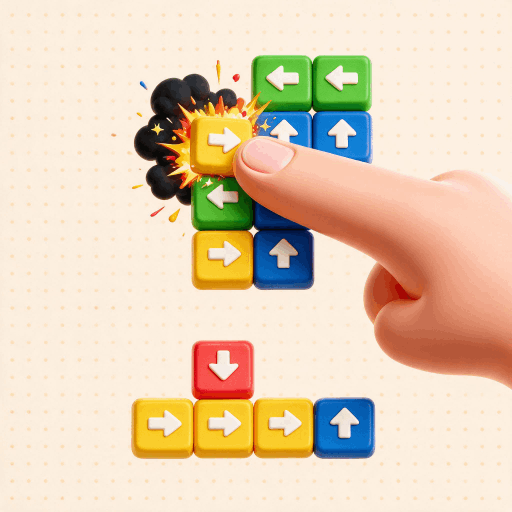
Tap Away 3D is a relaxing 3D disassembly puzzle. You're handed a cube or sculpture built from smaller blocks, and every block carries an arrow showing the one direction it can slide. Tap a block and it shoots off that way, but only if nothing is in its path. Your job is to clear the whole structure by removing blocks in the right order, dragging to rotate it so you can see which pieces are free to move and which are boxed in. Early stages are flat single layers; later ones stack into deep cubes and irregular figures that make you plan several taps ahead and sometimes slide a block aside to open a lane rather than remove it. It's a calm, mostly untimed brain-teaser with no reflex demands. The format was popularized by Popcore's mobile hit and has since been widely cloned and ported to web browsers.
How to play Tap Away 3D
- Study the structure and read the arrow on each visible block to see which way it would slide.
- Drag or swipe to rotate the puzzle and inspect it from every angle before committing.
- Tap a block whose arrow points into open space so it slides out and disappears.
- Keep removing blocks in sequence; a block that is boxed in cannot move until you clear its path.
- Remove every block to complete the level and unlock the next one.
- If you are stuck, use a Remover or hint powerup (where the version offers one) to delete a single block.
Controls
- Desktop: Click a block to slide it out in the direction of its arrow; click-and-drag anywhere to rotate the 3D structure.
- Mobile / tablet: Tap a block to send it flying off; swipe or drag with one finger to rotate the puzzle and view all sides.
Tap Away 3D tips & strategy
- Rotate all the way around before your first tap so you never strand a block you needed to reach later.
- Clear the outer, unobstructed blocks first; peeling the shell almost always opens paths for the pieces behind.
- Trace an arrow's full path before tapping, because if any block sits in that lane the piece will not move.
- Remember you can slide a block to rest against another instead of removing it, using it to unblock a different piece.
- On move-limited levels, plan two or three taps ahead so you do not burn through your move budget.
- Save the Remover or hint powerup for a genuinely stuck moment rather than spending it early.
What makes Tap Away 3D fun
Directional tap-to-remove block mechanic; full 360-degree rotation of the 3D structure; a long ladder of hand-built levels that scale from single flat layers to deep cubes and irregular sculptures; unlockable skins and themes plus daily challenges in the mobile original; optional Remover and hint powerups; relaxing, mostly untimed play; available as free HTML5 browser versions as well as iOS and Android apps.
Tap Away 3D gameplay video
In this clip: This clip covers Levels 1 to 4 of Tap Away 3D. The Level 1 and Level 2 frames show a kiss-face emoji with hearts over a faded screen, while Levels 3 and 4 show small flat layouts of coloured blocks, each marked with an arrow. The coin counter reads 100, 105, 110 and 115 across the four frames.
Tap Away 3D FAQ
Is Tap Away 3D free to play?
Yes. It is free with ads on iOS and Android, and the browser versions are free to play in-page with no download.
Why won't a block move when I tap it?
A block only slides if the space along its arrow is empty. If any other block sits in that lane, the piece is locked until you clear the lane first.
How many levels does it have?
The mobile original by Popcore has hundreds of progressively harder levels; the HTML5 browser port on plays.org has 72 levels grouped into four cube-size tiers.
Who actually made Tap Away 3D?
The version that popularized the format is Tap Away 3D by Popcore GmbH. Browser and H5 versions on game portals are often ports or re-implementations by other studios rather than Popcore itself.
Is this the same game as Take Away or Tap It Away?
They share the same genre and near-identical mechanics but are made by different studios. Many soundalike titles exist, so the exact build you play depends on the site.
Do I need to be online to play?
Browser versions need to load the page, after which progress is usually saved locally in your browser; the mobile apps can be played offline once installed.
Games like Tap Away 3D
🔥 Popular games
See all →






