Tap Away 3D Walkthrough & Level Guide
How to beat Tap Away 3D — Hundreds in the mobile original; the plays.org HTML5 browser port has 72 levels across four size tiers (3x3x1, 3x3x2, 3x3x3, 3x3x4). · Updated
Overview
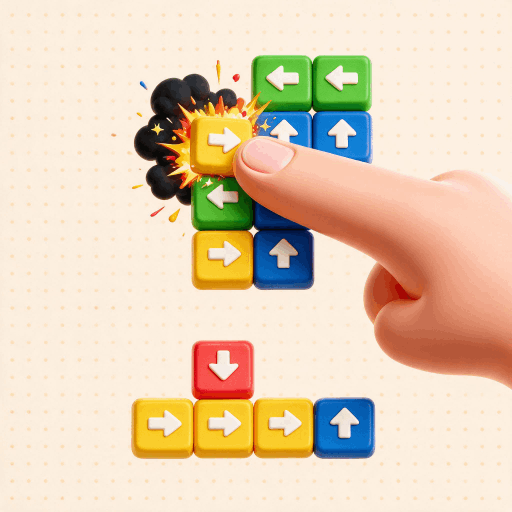
Tap Away's levels are not about reflexes; they are a pure logic-sequence puzzle where the only question is which block can move and in what order. The strategy below is general and applies to every version, because the core rule never changes: a block slides only if its arrow points into open space. Rotating the structure and reading arrows before you commit is most of the game.
How Tap Away 3D levels work
Sequential single-player levels grouped by increasing cube dimensions and shape complexity; completing one unlocks the next. (Hundreds in the mobile original; the plays.org HTML5 browser port has 72 levels across four size tiers (3x3x1, 3x3x2, 3x3x3, 3x3x4).).
Stage-by-stage strategy
Single-layer starters (3x3x1)
The opening levels are one block thick, so every arrow either points into open space or into a neighbor. Read each arrow, remove the pieces that already have a clear lane, and work inward. These stages teach the collision rule, that a block cannot pass through another, so tap the outward-pointing edge blocks first.
Stacked cubes (3x3x2 to 3x3x3)
Once layers stack, you must rotate constantly because half the arrows point into faces you cannot see from one angle. Peel the outer shell first: blocks on the surface pointing outward are almost always free. Clearing one side frequently opens moves on another, so after each removal spin the cube and re-scan for newly unblocked pieces.
Deep cubes and irregular sculptures
Larger figures and non-cube shapes hide interlocked blocks that only free up in a specific order. Trace an arrow's entire path before tapping, and when nothing looks removable, slide a block to rest against another (rather than clearing it) to open a lane for a different piece. Plan two to three moves as a chain instead of tapping reactively.
Move-limited and powerup levels
Some versions cap your moves or add a Remover/hint powerup. Here sequencing matters most: map the full disassembly order in your head before the first tap so you stay within the budget, and reserve the Remover for a genuinely locked block. If you overspend, restart and replan rather than forcing a bad tap.
Tips to beat Tap Away 3D faster
- Rotate all the way around before your first tap so you never strand a block you needed to reach later.
- Clear the outer, unobstructed blocks first; peeling the shell almost always opens paths for the pieces behind.
- Trace an arrow's full path before tapping, because if any block sits in that lane the piece will not move.
- Remember you can slide a block to rest against another instead of removing it, using it to unblock a different piece.
- On move-limited levels, plan two or three taps ahead so you do not burn through your move budget.
- Save the Remover or hint powerup for a genuinely stuck moment rather than spending it early.
Tap Away 3D walkthrough FAQ
Why can I tap some blocks but not others?
A block only moves if the space along its arrow is empty. If any block sits in that lane, the piece is locked until you clear the lane, so removing obstacles in the correct order is the whole puzzle.
What is the best opening move on a hard level?
Rotate all the way around first, then remove the outermost blocks whose arrows point outward into empty space. Clearing the shell almost always frees the interior pieces behind it.
I'm completely stuck, now what?
Look for a block you can slide to rest against another to open a path instead of removing it, or spend a Remover/hint powerup where available. On move-limited levels, restart and plan the full sequence before tapping.
More free games



