
FPS Sniper Shooting: Production Facility
FPS · Sniper · Shooter
More shooting games
See all →




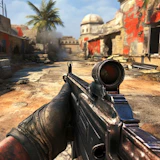

About FPS Sniper Shooting: Production Facility
FPS Sniper Shooting: Production Facility is a browser-based first-person shooter where you play a commando sent to clear an enemy-held production facility. The core loop mixes stealthy long-range sniper kills with close-quarters gunfights, switching between multiple weapon types while managing limited ammo, health, and energy across missions of increasing difficulty.
How to play FPS Sniper Shooting: Production Facility
- Move through the facility with WASD and aim/look around with the mouse.
- Pick a difficulty level before you start — the game offers several tiers, from easier to much tougher.
- Line up sniper shots on distant hostiles to clear them quietly before they raise the alarm.
- Switch weapons (pistol, assault rifles, shotgun, sniper rifle) with the mouse wheel or number keys as the situation shifts from long range to close quarters.
- Throw a grenade to clear grouped enemies or break contact when you have one available.
- Watch your health and energy bars at the bottom of the screen - sprinting drains energy (which regenerates), while enemy fire drains health, and hitting zero health ends the mission.
Controls
- Desktop: WASD to move, mouse to aim/look, left click to fire, mouse wheel or number keys to switch weapons, plus standard FPS keys for sprint/crouch/reload/grenade.
- Mobile / tablet: Not designed for touch controls - this is a keyboard-and-mouse FPS best played on desktop.
FPS Sniper Shooting: Production Facility tips & strategy
- Use the sniper rifle first on isolated or distant guards so you can drop them before they spot you and alert the rest of the facility.
- Save grenades for tight clusters of enemies rather than single targets - they're a limited resource across the mission.
- Manage energy: don't sprint into a firefight with an empty energy bar, since you'll need it to reposition or retreat.
- Switch to the shotgun or assault rifle once enemies close the distance - the sniper rifle is slow to reacquire targets up close.
- Try to eliminate hostiles without triggering the alert state; a facility on alert throws more enemies at you at once.
What makes FPS Sniper Shooting: Production Facility fun
The appeal is the back-and-forth between patient, stealthy sniping and fast close-range combat, backed by a multi-weapon loadout (handgun, rifles, shotgun, sniper rifle, plus grenades) and selectable difficulty tiers that change how aggressive and alert the enemies are.
FPS Sniper Shooting: Production Facility FAQ
Is FPS Sniper Shooting: Production Facility free to play?
Yes, it's free to play in your browser on joyforgame.com, no download or account needed.
Do I need to download anything?
No. It runs directly in the browser as an HTML5 game.
Can I play it on mobile?
It's built as a keyboard-and-mouse FPS, so it plays best on desktop; touch support is limited or unreliable.
What weapons are available in the game?
You get a handgun, assault rifles, a shotgun, and a sniper rifle, plus grenades, and can choose from multiple difficulty levels of increasing challenge.
🔥 Popular games
See all →






