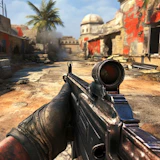
Commando Force 2
First-Person Shooter · Arena Shooter · Multiplayer Shooter
More shooting games
See all →





About Commando Force 2
Commando Force 2 is a free browser-based 3D first-person shooter that drops you into fast-paced arena combat against other commandos. Play Free-For-All, where every soldier fights for themselves, or team up in Team Deathmatch and battle an opposing squad for the highest score before the timer runs out. Track your health, armor, and ammo on the HUD while you hunt down rivals across compact combat maps. Between matches, visit the in-game store to unlock and upgrade assault rifles, shotguns, sniper rifles, and other gear, and complete daily tasks to earn extra rewards and climb the rankings. Commando Force 2 runs instantly in your browser with no downloads or account required, so you can jump straight into the action on desktop or mobile. Like most arena shooters, success comes down to map awareness, weapon choice, and reflexes as much as raw firepower.
How to play Commando Force 2
- Choose a match type — Free-For-All for a solo free-for-all fight, or Team Deathmatch to fight alongside a squad.
- Spawn into the arena and use WASD or the arrow keys to move while the mouse controls where you look and aim.
- Fire at enemy commandos with the left mouse button, and use the right mouse button to steady your aim for longer-range shots.
- Watch your health, armor, and ammo readouts on the HUD, and pull back to cover when you're low.
- Rack up eliminations before the match timer runs out — the player with the highest score tops the leaderboard.
- Between matches, spend earned currency in the shop to unlock new weapons and upgrade your gear, then jump back in.
Controls
- Desktop: WASD or arrow keys to move, mouse to look and aim, left-click to fire, right-click to aim down sights, Space to jump, C to crouch, R to reload, and the mouse wheel or number keys to switch weapons.
- Mobile / tablet: An on-screen virtual joystick handles movement while touch buttons let you aim, fire, jump, and switch weapons — drag on the screen to look around, the standard setup for browser FPS games on touchscreens.
Commando Force 2 tips & strategy
- Upgrade armor early — extra survivability wins more gunfights than a slightly bigger weapon.
- Keep moving between fights; standing still in an open lane makes you an easy target in arena shooters like this one.
- Match your weapon to the range — assault rifles for mid-range skirmishes, shotguns up close, sniper rifles for long sightlines.
- Use the right-click aim to steady your shots at distance instead of spraying from the hip.
- Complete daily tasks and collect rewards before you queue up, since the extra currency speeds up gear upgrades.
- In Team Deathmatch, stick near a teammate — a two-on-one fight is easier to win than facing rivals alone.
What makes Commando Force 2 fun
Two arena modes (Team Deathmatch and Free-For-All), an in-game shop for unlocking and upgrading assault rifles, shotguns, and sniper rifles, a live HUD tracking health, armor, ammo, and score, plus daily rewards and tasks that earn extra currency toward gear upgrades.
Commando Force 2 FAQ
Is Commando Force 2 free to play?
Yes. It runs in your browser for free, with no purchase required to start playing.
How do I play Commando Force 2?
Pick Free-For-All or Team Deathmatch, then move with WASD, aim with the mouse, and shoot rival commandos to rack up eliminations before the timer runs out.
Do I need to download anything to play?
No. There's no download or install — the game loads and runs directly in your browser.
Can I play Commando Force 2 on mobile?
Yes, it supports mobile browsers with on-screen touch controls for movement, aiming, and shooting.
What's the difference between Team Deathmatch and Free-For-All?
Team Deathmatch splits players into two squads competing for the highest combined score, while Free-For-All has every commando fighting solo, so you're chasing your own top spot on the leaderboard.
🔥 Popular games
See all →






