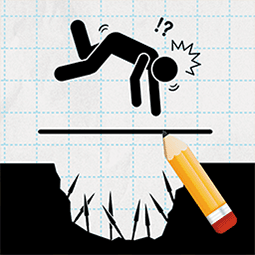
Draw 2 Save
Puzzle · Drawing · Physics · Casual
More puzzle games
See all →



About Draw 2 Save
Draw 2 Save — also published as Draw 2 Save: Stickman Rescue — is a physics-based drawing puzzle whose only tool is a pen. Each level drops a stickman into danger: a blade swings down, a bullet flies in, a bomb falls, arrows rain, or a pit opens beneath him. You drag the mouse or your finger to draw a line, wall, or barrier, and that ink becomes a solid object that obeys gravity and physics, blocking or deflecting the threat so the stickman survives. The catch is restraint: the game rewards the smallest, smartest drawing, so a single well-angled stroke usually beats a heavy fortress that collapses onto your character. Built in Unity and playable free in the browser on desktop and mobile, it stacks dozens of quick, self-contained puzzles that get trickier as hazards start arriving from several directions at once.
How to play Draw 2 Save
- Study the level: find the stickman and every incoming threat (blade, bullet, bomb, arrows, pit, or spikes).
- Trace in your head the path each hazard will travel toward the stickman.
- Draw a line or barrier to intercept or deflect that path — drag the mouse on desktop, or drag a finger on touch screens.
- Keep drawings small and anchored to walls or the ground, since your ink has weight and can fall onto the character.
- Release to let physics play out; if the stickman survives the hazard, you advance to the next level.
- Replay a level to find a cleaner solution using fewer strokes and less ink for a better score.
Controls
- Desktop: Click and drag the mouse to draw lines and barriers; release to let physics resolve. Fullscreen supported.
- Mobile / tablet: Touch and drag your finger to draw protective lines; lift your finger to run the physics.
Draw 2 Save tips & strategy
- Draw the minimum — one short, well-placed line usually beats a big structure.
- Angle your lines to deflect rather than just block: a slant sends blades and bullets away from the stickman.
- Anchor barriers to walls or the ground so your own drawing doesn't drop onto the character.
- For bombs, enclose or cover the blast instead of blocking a single side.
- Respect gravity — heavy scribbles fall, so keep every barrier light.
- If you're stuck, undo and rethink the hazard's path instead of piling on more ink.
What makes Draw 2 Save fun
Free browser puzzle built in Unity (WebGL); one-finger or one-mouse draw controls; dozens of physics-based rescue levels; realistic gravity applied to everything you draw; escalating difficulty as hazards arrive from multiple directions; scoring that rewards minimal, efficient drawings; playable on desktop, mobile, and tablet with no download or install.
Draw 2 Save FAQ
What is Draw 2 Save?
It's a physics drawing puzzle where you draw lines and barriers to shield a stickman from hazards like blades, bullets, bombs, arrows, and pits across many levels.
Is Draw 2 Save free to play?
Yes. It's a free browser game (HTML5 / Unity WebGL) that needs no download or install, though the site hosting it may show ads.
How do you play Draw 2 Save?
Drag the mouse or your finger to draw a barrier that blocks or deflects the incoming threat before it reaches the stickman, then physics decides whether he survives.
Can I play Draw 2 Save on mobile?
Yes — the Unity WebGL build runs in mobile and tablet browsers with touch controls, although some host sites are tuned mainly for desktop play.
Who made Draw 2 Save?
The developer of this browser version is not credited on the portals that host it, so it is unconfirmed.
Is this the same as the 'save the girl' drawing game?
They share the draw-a-line-to-rescue idea, but the canonical Draw 2 Save is the stickman version. A separate, similarly named 'Draw 2 Save Puzzle' instead rescues a girl across furnished scenes and lets you spend coins on furniture.
Games like Draw 2 Save
Save the Doge → Happy Glass → 🔥 Popular games
See all →










