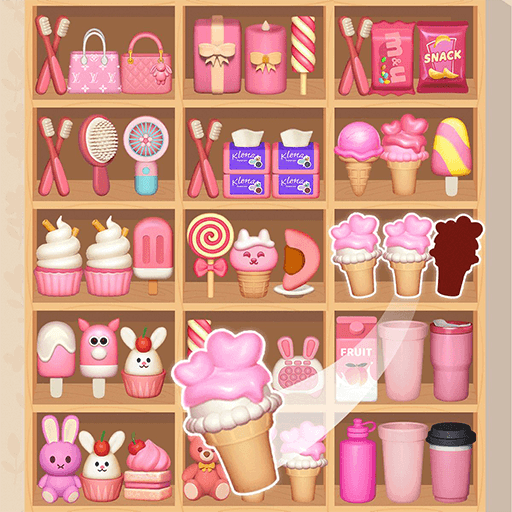
Shelves and Objects Sorting
Puzzle · Sorting · Match-3 · Casual · by Puzzle Dealer
More puzzle games
See all →


About Shelves and Objects Sorting
Shelves and Objects Sorting is a browser-based match-3 puzzle game, published in full as Clean the Room: Shelves and Objects Sorting by developer Puzzle Dealer. Players tidy cluttered rooms by dragging identical objects — drinks, snacks, plants, toys, and knick-knacks — into open gaps on wall-mounted shelves until three matching items line up and merge away. Each of the game's hundreds of levels presents a new, increasingly crowded room with limited free slots, so success depends on reading the shelf layout before committing a move. Clearing levels earns coins and stars that unlock cosmetic upgrades and occasional boosters, including a hammer that deletes a single item and a star wand that converts nine random pieces into one matching set. It runs directly in a browser on desktop or mobile with no download, install, or account required, making it a low-pressure pick-up-and-play organizing puzzle.
How to play Shelves and Objects Sorting
- Scan the shelf and look for objects that already have a matching pair sitting on it.
- Drag any single loose object into an empty gap to open up or reveal more of the shelf.
- Line up a third matching item next to an existing pair — all three merge and clear together.
- Always keep at least one gap open; filling every slot without completing a match can lock the board.
- Clear the entire shelf to finish the room and unlock the next level.
- Spend earned coins and stars on boosters like the hammer or star wand when a layout gets too crowded to solve by hand.
Controls
- Desktop: Click and hold an object with the mouse, drag it across the shelf, and release it to drop it into an empty gap.
- Mobile / tablet: Tap and drag an object with your finger to an open gap on the shelf, then lift to place it.
Shelves and Objects Sorting tips & strategy
- Scan the whole shelf before your first move and plan which gap you'll use so you don't box yourself in.
- Prioritize clearing pairs that are close together — moving a matching third item a short distance is safer than a long relocation across the shelf.
- Clear front-row items early to uncover what's stacked in hidden layers behind them, rather than saving them for last.
- Save boosters like the hammer and star wand for genuine dead ends on tall, layered shelves rather than burning them for speed.
- If no safe move exists, use the hammer to remove a blocking item instead of filling your last open gap.
- Replay easy early rooms to bank extra coins and stars for boosters before tackling denser, multi-layer levels.
What makes Shelves and Objects Sorting fun
Hundreds of levels set in uniquely decorated rooms, each cluttered with everyday objects like drinks, snacks, condiments, desserts, plants, toys, and sculptures. The core loop is a triple-match sort: drag identical items into shelf gaps until three of a kind line up and disappear. Progress earns coins and stars used to unlock cosmetic customization (avatar, wallpaper, shelving) and situational boosters — a hammer that deletes a single stuck item, and a star wand that converts nine random items into a matching set. Some shelves stack items in multiple visible layers, adding a hidden-information challenge as you clear the front row to reveal what's behind it. The game runs free in-browser on desktop and mobile with no install or account needed.
Shelves and Objects Sorting gameplay video
Shelves and Objects Sorting FAQ
Is Shelves and Objects Sorting free to play?
Yes. It runs free directly in a web browser with no purchase, download, or account required.
How many levels does the game have?
Portals distributing the game describe "hundreds" of levels, each set in a differently decorated room, though no official total count has been published.
Who developed Shelves and Objects Sorting?
It's credited to a studio called Puzzle Dealer and distributed under the full title "Clean the Room: Shelves and Objects Sorting" through portals including Playgama and Yandex Games.
What do the hammer and star wand boosters do?
The hammer removes a single chosen item from the shelf, while the star wand converts nine random items into one matching type — both help when a layout has no safe move left.
Can I play it on a phone?
Yes. It supports touch drag controls and runs in mobile browsers as well as on desktop.
Is there a timer or lose condition?
No countdown timer. The challenge is purely spatial — a board only stalls if every shelf gap fills without completing a triplet, at which point a booster or level restart gets you moving again.
Games like Shelves and Objects Sorting
🔥 Popular games
See all →






