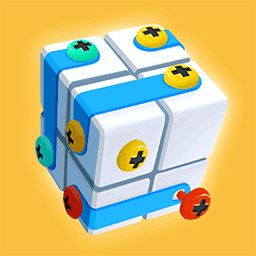
Screw Jam
Puzzle · Sorting · Casual · Brain · by Momo Games
More puzzle games
See all →




About Screw Jam
Screw Jam is a browser-based color-sorting puzzle from Momo Games, released in late 2024. Each level shows a set of colorful shaped pieces — clouds, hearts, flowers, stars and geometric plates — pinned to a gray wall by colored screws, and your job is to take everything apart in the right order. Click or tap a screw to unscrew it and send it to the matching color-coded box; once a box fills with same-colored screws it clears and a fresh one slides in. Below the board sit five temporary holes for screws that have no open box yet — a small buffer that fills fast. If all five clog while none of the open boxes can accept your next screw, the level is lost. Later stages add pieces stacked so freeing one uncovers another, and screws whose head shapes fit only certain holes. Across its 50 levels the challenge is planning the unscrewing sequence, not speed.
How to play Screw Jam
- Check which color-coded boxes are open, then click or tap screws whose color matches an open box.
- Each freed screw flies to its matching box; fill a box with same-colored screws to clear it and bring in a new one.
- Use the five temporary holes for screws whose color has no open box yet, but treat them as a short-term buffer only.
- Never let all five temporary holes fill while no open box can take your next screw, or the level ends in failure.
- Unscrew fasteners holding the top pieces first so those pieces fall away and reveal screws hidden underneath.
- In later levels, match screws with special head shapes to the correct-shaped holes before committing a move.
Controls
- Desktop: Mouse only — click a screw to unscrew it into a matching color box; the five temporary holes catch screws that have nowhere else to go.
- Mobile / tablet: Tap a screw to remove it into its matching color box; tap to manage the five temporary storage holes.
Screw Jam tips & strategy
- Treat the five temporary holes as emergency parking, not storage — always aim to send a screw into a real color box first.
- Scan the whole board before your first move and note how many screws of each color exist, so you know which color will complete a box soonest.
- Open a color box early and then feed that color aggressively to clear it, which frees a box slot for the next color.
- Free the screws pinning the top pieces first — removing a piece usually uncovers screws you could not otherwise reach.
- When two colors compete for temporary space, prioritize the color that is closest to filling and clearing its box.
- In late levels, confirm a screw's head shape fits the target hole before committing, since a wrong fit wastes a move.
What makes Screw Jam fun
Fifty progressively harder, hand-built levels; color-matched sorting into boxes backed by five temporary buffer slots; layered pieces that must be unpinned in the right sequence; special screw head and drive shapes introduced in later stages; hardware-themed 2D art with playful piece shapes (clouds, hearts, flowers, stars); free to play in-browser on desktop and mobile with no download or install.
Screw Jam gameplay video
In this clip: This clip plays a Chinese-language version, where the pieces form a small 3D cube held together by colored screws. Screws collect in color-matched boxes, and one green screw sits in the row of five holding holes, while the progress readout moves from 0% to 25%, 45% and 95%. By the last frame, only a single orange plate with one cyan screw is left.
Screw Jam FAQ
Who developed Screw Jam?
Screw Jam was made by Momo Games, the studio behind other casual titles such as Draw To Smash. The browser version launched on November 5, 2024.
How many levels does Screw Jam have?
The browser version has 50 progressively harder levels that gradually add more colors, layered pieces, and special screw shapes.
Is Screw Jam free to play?
Yes. It runs directly in a web browser on desktop and mobile for free, with no download or installation required.
How do you win a level in Screw Jam?
Clear every screw from the board by sorting each into its matching color box, without permanently jamming the five temporary holes.
Why do I keep failing a level?
A level fails when all five temporary holes are full and none of the open boxes can accept your next screw, so you become stuck. Managing those five slots is the core challenge.
Is this the same as the Screw Jam mobile app?
No. This is the free browser game by Momo Games. There is a separate mobile app also called Screw Jam, and a different game called Screw Jam Puzzle by PEGASUS — same-style puzzles but distinct releases.
Games like Screw Jam

🔥 Popular games
See all →










