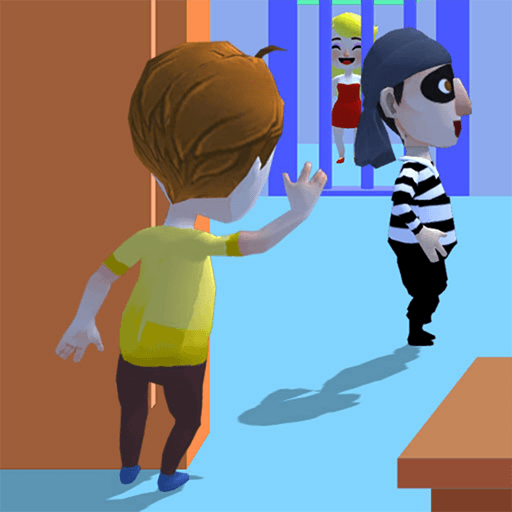
Save Princess
Casual · 3D · Top-Down · Level-Based · Single-Player
More puzzle games
See all →


About Save Princess
Save Princess is a 3D casual game shown from a fixed overhead camera looking down into a cutaway, brightly coloured house. The game drops you straight into a level, with a "Level 1" banner across the top. A small character with ginger hair, a yellow shirt and dark shorts stands in the lower room, and the first level carries a tutorial: a pointing hand resting on a looping line drawn on the floor, the standard prompt for moving by holding and dragging. White interior walls divide the floor plan into rooms. A gold key turns in place on the floor of the middle room, a blue barred gate is set into the far wall with a light-haired figure behind it, and the rooms hold simple furniture — a table with a blue chair and small props on it, an orange wooden cupboard, a salmon-pink block and a stack of blue discs. The layout is portrait, with the interface buttons tucked into the screen corners.
How to play Save Princess
- The game drops you straight into a level, with a banner at the top of the screen reading "Level 1".
- Move the character by pressing and holding on the play area and dragging. The tutorial shows a hand resting on one continuous looping path drawn on the floor, which is a hold-and-drag prompt rather than single taps or clicks.
- White interior walls split the house into separate rooms, and they do open up: the wall below the starting room runs the full width with no opening at first, and later its left section is open. We have not pinned down what opens it.
- A gold key spins on the floor of the middle room, casting its own shadow. It is the only animated object in the level apart from the characters, which marks it out as a pickup.
- A blue barred gate is set into the far wall at the top of the house, with a light-haired figure standing behind it.
- Use the buttons in the screen corners: a back arrow (top left) with a speaker icon below it, the usual controls for leaving a level and muting sound.
- The round sneaker button on the right edge and the orange "Skip >>" button in the bottom right both carry an orange film-and-play badge, which marks them as video-backed extras rather than core controls.
Controls
- Desktop: Hold the left mouse button down on the play area and drag to move the character — the Level 1 tutorial shows a hand resting on one continuous looping path, which is a hold-and-drag prompt rather than clicks or steps. Everything else is an on-screen button: back arrow (top left), sound toggle (below it), the round sneaker button (right edge) and "Skip >>" (bottom right). No keyboard input or key prompt appears anywhere.
- Mobile / tablet: Touch and drag on the floor to move the character, following the same hold-and-drag gesture the tutorial demonstrates. The build is laid out in portrait, and the buttons — back, sound, sneaker, "Skip >>" — sit in the screen corners within thumb reach. Tap a button to use it.
Save Princess tips & strategy
- Movement is a held drag, not a tap: the tutorial hand rests on one unbroken loop across the floor, so keep the pointer or finger down while steering.
- Look at the wall layout before moving. The starting room begins closed off from the rest of the house by a divider running the full width, so the way out is not straight ahead.
- The gold key keeps rotating and casts its own shadow, which is what sets it apart from the static furniture around it.
- The sneaker button and the "Skip >>" button both show a small film-and-play badge, marking them as video-backed extras rather than core controls.
- The lightning counter reads 9, with a countdown of 34:20 beside it and a green plus — the usual layout for a resource that tops up over time.
- The speaker icon in the top-left corner is the sound toggle, and the back arrow directly above it leaves the level.
What makes Save Princess fun
3D cartoon visuals with a fixed overhead camera looking into a cutaway house; a portrait layout; hold-and-drag movement with a built-in tutorial on the first level; a level banner at the top of the screen (reading "Level 1" on the first one); a furnished, multi-room floor plan with a rotating gold key pickup and a blue barred gate in the far wall; a coin counter and a lightning counter with a countdown and a plus button; a "Skin" button showing a character portrait; a sound toggle and a back arrow; and two video-badged buttons — a sneaker button and a level "Skip >>". Plays in the browser with no download.
Save Princess gameplay video
Save Princess FAQ
What does Save Princess actually look like?
It is 3D, not pixel art. The camera looks down into a cutaway house rendered in soft cartoon colours — green floors, white and pale-blue walls, and rounded 3D furniture — with the character seen from above. The screen is laid out in portrait.
How do you move the character?
By holding and dragging. The first level puts a tutorial overlay on the floor of the starting room: a white pointing hand resting on a looping figure-eight line, which is the standard prompt for a continuous drag. There are no keyboard controls.
What is in the level?
A house floor plan split by white interior walls. There is a gold key turning on the floor of the middle room, a blue barred gate set into the far wall with a light-haired figure behind it, and furniture including a table with a blue chair and small props on it, an orange wooden cupboard, a salmon-pink block against the right wall, and a stack of blue discs on a white base.
What are the buttons on the right side of the screen?
A round grey button showing a blue sneaker with a green upward arrow, and an orange "Skip >>" button. Both carry an orange film-and-play badge, which marks them as video-backed extras rather than core controls.
How many levels does it have?
We cannot say. We have only played the first level, and the game puts no level-select screen, completion screen or level counter on it.
Games like Save Princess
🔥 Popular games
See all →






