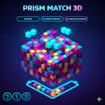
Prism Match 3D
Match-3 · 3D Puzzle · Tile Matching · Brain
More puzzle games
See all →


About Prism Match 3D
Prism Match 3D drops you into a dazzling 3D world of stacked, colorful tile structures and asks you to clear them one triple at a time. Instead of scanning a flat board, you rotate and zoom around a prism-shaped stack, hunting for tiles that aren't buried under others. Tap any uncovered tile to pull it into your tray, and once three identical tiles land together they merge and vanish automatically, opening up space and revealing what was hidden beneath. The tray only holds a handful of pieces at once, so every pick matters — fill it without completing a match and you're stuck. Undo, Retrieve, and Shuffle power-ups help bail you out when the layout gets tricky. It's a relaxing but genuinely tricky twist on classic tile-matching puzzles, built for quick browser sessions on desktop or mobile, with each level presenting a fresh structure to pick apart.
How to play Prism Match 3D
- Rotate and zoom the 3D structure to see which tiles sit on top, uncovered, and which are still buried.
- Tap or click any uncovered tile to pull it off the structure and into your tray.
- Keep collecting tiles of the same type — three identical tiles in the tray merge and clear automatically.
- Watch your tray space closely; it only holds a limited number of tiles, so an unmatched pick can bring you close to getting stuck.
- Use the Undo, Retrieve, or Shuffle power-ups when the board gets tight or you make a bad pick.
- Clear every tile from the structure to finish the level and move on to the next layout.
Controls
- Desktop: Click and drag to rotate or zoom the 3D structure; click an uncovered tile to select it and send it to your tray.
- Mobile / tablet: Swipe or drag with one finger to rotate the structure, pinch to zoom, and tap an uncovered tile to select it.
Prism Match 3D tips & strategy
- Do a full rotation before picking anything - scope out every side of the structure so you know your options before committing a tray slot.
- Prioritize tiles you can already see a matching pair for; picking a tile with no visible partner yet is the fastest way to clog your tray.
- Peel structures from the top layer down - upper tiles usually block matches hidden underneath, so clearing them first opens up more of the board.
- Save Shuffle for when you're genuinely stuck rather than early on, since it's usually a limited resource across a level.
- Hit Undo immediately after a misclick instead of playing on - recovering one bad pick is far easier than digging out of a full tray.
- Slow down on complex structures - Prism Match 3D rewards careful observation over speed, especially once multiple layers overlap.
What makes Prism Match 3D fun
A rotate-and-match 3D puzzle where you spin a stacked prism structure, uncover hidden tiles layer by layer, and clear triples into a limited tray, backed by Undo, Retrieve, and Shuffle power-ups and fully touch-friendly controls for desktop, tablet, and mobile play.
Prism Match 3D FAQ
Is Prism Match 3D free to play?
Yes. It's a free browser game with no download or install required - just open it and start playing.
How do I play Prism Match 3D?
Rotate the 3D structure to find tiles that aren't covered, tap to collect them into your tray, and match three identical tiles to clear them and progress.
Do I need to download an app to play?
No. Prism Match 3D runs directly in your browser, so there's nothing to install on desktop or mobile.
Can I play Prism Match 3D on my phone?
Yes, it's built for mobile and tablet with touch and swipe controls, and it supports both portrait and landscape orientation.
What happens if my tray fills up before I find a match?
Since the tray only holds a limited number of tiles, filling it without completing a triple can leave you stuck - the Undo, Retrieve, and Shuffle power-ups are there to help you recover before that happens.
🔥 Popular games
See all →






