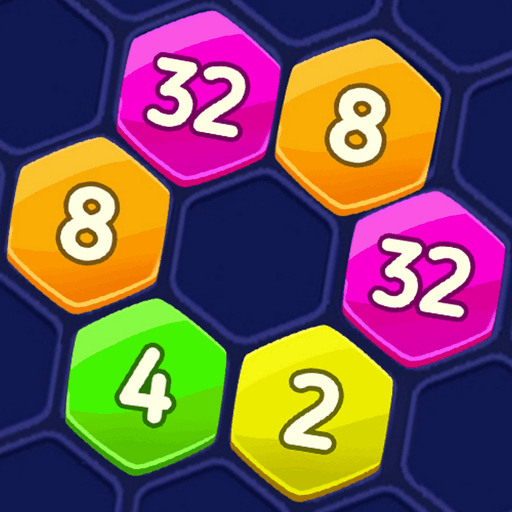
Hexagon
Puzzle · Hexagon Grid · Tile Placement · Casual · Browser
More puzzle games
See all →


About Hexagon
Hexagon is a browser puzzle played on a honeycomb board. The board is one large hexagon made of 37 cells, laid out in seven rows that run 4, 5, 6, 7, 6, 5 and 4 from top to bottom. Below the board a pulsing green ring holds the next piece: a single yellow hexagon tile with a number printed on its face. On the opening screen every tile is marked 2 - the one waiting in the ring and two already sitting on the board, with the score still at 0. The line printed between the board and the ring reads "Drag up to place the Hexagon block", so pieces travel from the ring to the board by dragging rather than tapping. The header shows BEST above SCORE, a coin total with a green "+" badge, a pause button at the left and a "?" help button at the right. Under the header runs a long progress bar with a bronze hexagon medal at its left end and 2000 printed at its right end; it is completely empty at score 0. Two round coin-priced buttons sit to the right of the ring. The layout is portrait.
How to play Hexagon
- Look at the glowing green ring below the board - it holds the next hexagon tile, with its number shown on the face. On the opening screen that tile reads 2.
- Drag the tile up out of the ring and onto an empty cell of the honeycomb board, then release. The game states this directly on screen: "Drag up to place the Hexagon block".
- Each placement fills one of the board's 37 cells. SCORE in the header counts the current run, with BEST shown on the line above it; both read 0 on the opening screen.
- Watch the bar under the header. A bronze hexagon medal marks its left end and 2000 is printed at its right end, so it tracks progress toward a score of 2000. It sits completely empty while the score is 0.
- The two round buttons to the right of the ring - an orange hammer and a green curved arrow - are each labelled with a coin icon and x500, so using them costs coins from the header's coin total.
Controls
- Desktop: Mouse drag. Press and hold the hexagon tile inside the green ring below the board, drag it up onto the empty cell you want, and release to drop it there. The pause button is at the top left of the header and the help ("?") button at the top right; the hammer and green-arrow buttons sit to the right of the tile holder. No keyboard control appears anywhere.
- Mobile / tablet: Touch and drag. Hold the tile in the green ring, slide it up to the cell you want, and lift your finger to place it. The build is laid out in portrait, with the board filling the upper part of the screen and the tile holder plus its two coin-priced buttons along the bottom. The game is portrait and has no separate mobile control scheme.
Hexagon tips & strategy
- The on-screen hint says drag, not tap, and it means it: clicking a tile leaves the board untouched. Press the tile in the ring, move it onto the cell, and only then release.
- Both buttons beside the ring cost 500 coins each and the coin counter reads 0 on the opening screen, so neither one is affordable at the very start.
- The board is not blank at score 0: two tiles are already sitting near the middle, so check what is there before planning your first drop.
- The progress bar is empty at score 0 and carries 2000 at its far right end. Treat 2000 as the first score target this screen puts in front of you.
- The "?" button at the top right is the game's own help screen - the quickest place to settle any rule this page does not cover.
What makes Hexagon fun
Honeycomb board of 37 hexagonal cells arranged 4-5-6-7-6-5-4; drag-to-place input with an on-screen instruction line; hexagon tiles with a number printed on the face; a single next-piece holder inside a pulsing green ring; BEST and SCORE counters in the header; a coin total with a green "+" badge; a progress bar with a bronze hexagon medal at its left end and a 2000 marker at its right; two coin-priced buttons beside the holder (an orange hammer and a green curved arrow) at 500 coins each; pause and help buttons; a portrait layout; runs directly in the browser.
Hexagon FAQ
Is Hexagon free to play?
Yes. It runs straight in the browser with no payment step or paywall. There is a coin counter with a green "+" badge and two buttons priced at 500 coins each, but we have not found where those coins come from.
What does the board look like?
It is one large hexagon made of honeycomb cells - seven rows running 4, 5, 6, 7, 6, 5 and 4 cells from top to bottom, 37 cells in total. Two cells near the middle already hold tiles on the opening screen.
How do you place a piece?
By dragging. The game prints the instruction "Drag up to place the Hexagon block" between the board and the tile holder, so you pull the tile out of the green ring at the bottom and drop it on an empty cell.
What do the numbers on the tiles mean?
On the opening screen every tile - the two on the board and the one in the ring - reads 2. We have not seen a tile change value, combine or disappear, so what the numbers do beyond being printed on the face is something we cannot yet explain.
What is the 2000 on the bar below the score?
It is the number printed at the right end of a progress bar that has a bronze hexagon medal at its left end. The bar is completely empty while the score reads 0, so it tracks progress toward 2000 as a score milestone.
Games like Hexagon
🔥 Popular games
See all →






