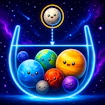
Drop Planets
Puzzle · Merge · Casual · Brain
More puzzle games
See all →


About Drop Planets
Drop Planets is a browser-based merge puzzle game in the "drop and combine" style popularized by 2048 and Suika-style stacking games. You release falling planets into a contained play space, and when two planets of the same size touch, they fuse into a single, bigger planet. The core tension is spatial: every drop shifts the pile, so placement matters as much as timing. A danger line marks the top of the play field, and letting planets stack past it ends the run, so managing space efficiently while chasing bigger merges is the main challenge. It's a quick-session, low-friction puzzle title playable straight in the browser on desktop or mobile, with no installs or accounts needed. The loop rewards patient planning over fast reflexes, making it an easy pick-up-and-play option for casual puzzle fans.
How to play Drop Planets
- Look at the planet waiting to drop and decide where it should land.
- Move it left or right into position over the play area.
- Drop the planet and watch where it settles among the existing pile.
- When two planets of the same size touch, they automatically merge into one larger planet.
- Keep chaining merges to clear space and rack up a higher score.
- Stay alert to the danger line at the top of the field — letting planets pile past it ends the game.
Controls
- Desktop: Left/Right Arrow keys to slide the current planet into position, Space to drop it, R to restart the run, and P to pause or resume.
- Mobile / tablet: Touch and hold on the screen, slide your finger left or right to line up the planet, then release to let it fall.
Drop Planets tips & strategy
- Don't drop on autopilot — pause for a second to see how the new planet will settle before committing.
- Keep one side of the board relatively open as a buffer so a bad drop doesn't trap you.
- Prioritize merging smaller planets early rather than letting them pile up untouched.
- Group similarly sized planets together so one drop can trigger a bigger chain merge.
- Once the pile creeps close to the danger line, favor safe placements over risky combo attempts.
- Use the pause control if you need a moment to plan your next few drops.
What makes Drop Planets fun
A browser-playable merge puzzle where you drop and combine matching planets into bigger ones while keeping the stack below a danger line, with simple arrow-key-and-space or touch-and-slide controls on desktop and mobile.
Drop Planets FAQ
Is Drop Planets free to play?
Yes. Drop Planets runs directly in your browser at no cost — there's no purchase or subscription required to play.
How do you play Drop Planets?
Position the falling planet with the arrow keys (or by sliding your finger on mobile), then drop it. When two planets of the same size collide, they merge into a larger one. Keep merging to score points and avoid letting the pile cross the danger line at the top of the screen.
Do I need to download Drop Planets to play it?
No download or install is needed. It's an HTML5 browser game, so it loads and plays instantly on the game page.
Can I play Drop Planets on my phone?
Yes, the game supports mobile and tablet play. Use touch-and-slide controls to position each planet, then lift your finger to drop it.
What happens if I let the planets stack too high?
Every drop-and-merge puzzle in this style has a danger line near the top of the play field. If planets pile up past that line without being merged away, the run ends, so clearing space through merges is the key survival skill.
🔥 Popular games
See all →






