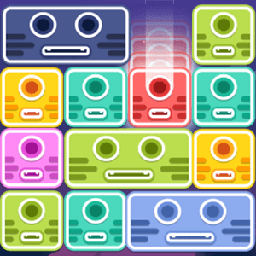
Drag the Block
Puzzle · Block Puzzle · Sliding Puzzle · Casual
More puzzle games
See all →



About Drag the Block
Drag the Block opens straight into a tutorial. The play area is a single tall grid, nine columns wide and twelve rows deep, set into the body of a cartoon monster whose horned, one-eyed head and open, toothy mouth sit above it; the painted sky shows through the semi-transparent cells. Blocks are already on the board rather than dealt from a tray: rounded bars one, two or three cells wide, in coral red, navy, turquoise, light blue, pink and lime, each carrying one circle per cell plus a small white mouth-like dash, so they read as little faces. At the start they fill the bottom two rows, seven of the nine cells in each, and the rest of the board is empty. Overlay text across the board reads "Game start" and "Drag blocks to clear row", and the tutorial caption reads "Hold block, drag 1 left then release", with a white arrow in the empty cell beside the block the pointing hand is resting on. The header shows a counter at 0 and the words Difficulty 1.
How to play Drag the Block
- Press and hold a block that is already sitting on the grid.
- Drag it sideways into an empty cell next to it and release. The tutorial asks for exactly one step to the left, with a white arrow marking the gap it wants filled.
- Work towards a complete row: the text over the board states the goal as dragging blocks to clear a row.
- Check how wide a block is before you move it - a block carries one circle per cell it occupies, so a one-circle block fits a single gap and a three-circle bar needs three.
- Two helper buttons, Hammer and Fairy, sit along the bottom of the screen, with Settings to their right.
Controls
- Desktop: Press and hold the left mouse button on a block, drag it into an empty cell beside it, then release to drop it. Left-click the Hammer, Fairy and Settings buttons along the bottom of the screen.
- Mobile / tablet: Touch and hold a block, drag it with one finger into an empty cell beside it, then lift your finger to drop it. Tap the Hammer, Fairy and Settings buttons at the bottom. The layout is portrait, with the grid filling most of the screen height.
Drag the Block tips & strategy
- Count the circles on a block to read its width - one circle means one cell, three circles means a three-cell bar - then match it to a gap that size.
- Look at where the gaps are before you touch anything. On the opening board the upper filled row has two single-cell gaps in different places, while the lower row's two empty cells sit side by side as one two-wide opening.
- The caption asks for a specific gesture: press and hold, drag one cell, then release. The tutorial does not move on until that exact gesture is completed - clicking at the block will not do it.
- Only the bottom two rows of the twelve-row grid start filled, so there is a lot of empty board above the action at the beginning.
- The white arrow belongs to the tutorial, not the board: it sits in the empty cell immediately to the left of the block the hand is resting on, marking where that block is meant to end up.
What makes Drag the Block fun
A single tall grid, nine columns by twelve rows, set into the body of a horned, one-eyed cartoon monster whose open toothy mouth sits above the board; the painted sky shows through the semi-transparent cells. Blocks start on the board rather than being dealt from a tray, as rounded bars one to three cells wide in six colours - coral red, navy, turquoise, light blue, pink and lime - each marked with one circle per cell and a small white mouth-like dash. A guided opening tutorial dims the board, lights a full-width band across the bottom four rows and scripts the first move with a caption, a direction arrow and an animated pointing hand. The header carries a counter and a difficulty number; the footer carries a Hammer button and a Fairy button, each badged with a small red video icon, plus a Settings gear. Painted backdrop of pink-purple sky, clouds, hills and pine trees. Portrait layout.
Drag the Block FAQ
Is Drag the Block free to play?
Yes. It loads straight into a playable tutorial board, with no purchase, sign-in or paywall step in front of it. The only hint of monetisation on screen is the small red video badge on the Hammer and Fairy buttons.
How do you move a block?
You hold a block, drag it and release. The tutorial spells it out as "Hold block, drag 1 left then release", with a white arrow pointing at the empty cell one step to the left of the block the hand is resting on.
What is the goal?
The text shown over the board at the start of a round reads "Drag blocks to clear row", so moving blocks until a row is complete is the objective the game states for itself.
Do the blocks come from a tray at the bottom of the screen?
No. The grid is one continuous board nine columns by twelve rows, and its column and row lines run unbroken through the brighter strip at the bottom - that strip is a tutorial spotlight, not a separate tray. The coloured blocks are already placed on the board, occupying seven of the nine cells in each of the bottom two rows.
What do the Hammer and Fairy buttons do?
Their labels, their icons - a mallet and a green one-eyed creature - and the small red video badge on each are all the game gives away up front. We have not used either one, so we cannot describe the effect.
Games like Drag the Block
🔥 Popular games
See all →










