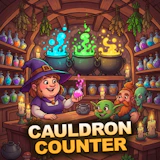
Cauldron Counter
Simulation · Management · Tycoon · Cooking · Casual
More simulation games
See all →





About Cauldron Counter
Cauldron Counter puts you behind a magical brewing counter where goblins, students, and traveling adventurers line up with specific drink orders. The core loop is classic time-management: read what each customer wants, load the matching potion onto an open cauldron, then tap to stir it up to speed — the faster you stir, the sooner it's ready and the bigger the tip. Juggling several cauldrons at once while customers' patience ticks down is where the challenge lives. Coins earned from happy customers go toward new recipes, cozy decor, extra cauldrons, and apprentices who can take over the stirring for you. Hitting reputation milestones lets you franchise your business upward, from a humble street stall all the way to the Wizard Mall, while permanent Stars carry over between locations. Even away from the game, overnight sales keep quietly stacking up, rewarding players who check back in regularly.
How to play Cauldron Counter
- Tap or click a waiting customer to see what they've ordered.
- Grab the matching potion and place it on a free cauldron.
- Tap the cauldron to stir it — faster stirring brews the order quicker and earns bigger tips.
- Serve the finished drink before that customer's patience runs out.
- Spend your coins on new recipes, decor, extra cauldrons, and apprentices.
- Hit reputation milestones to franchise up to the next, bigger location.
Controls
- Desktop: Click a waiting customer to take their order, click the matching potion to load it onto a free cauldron, then click the cauldron repeatedly to stir it up to speed.
- Mobile / tablet: Tap a customer to take their order, tap the matching potion to place it on an open cauldron, then tap the cauldron to stir and speed up the brew.
Cauldron Counter tips & strategy
- Stir every cauldron the moment you drop a potion in — an idle cauldron brews slower and costs you tips.
- Buy apprentices early; they take stirring off your hands so you can juggle more orders in the queue at once.
- Don't sink every coin into recipes right away — an extra cauldron or a decor upgrade often lets you handle more simultaneous orders, which pays for itself faster.
- Check back in for overnight sales before starting a fresh session; that passive income adds up if you let it sit unclaimed.
- Work toward reputation milestones instead of just banking coins — franchising up to the next location carries your Stars forward permanently.
- When the queue gets crowded, serve whichever customer is closest to losing patience first, not just whichever order is easiest to fill.
What makes Cauldron Counter fun
A tap-to-brew counter sim where you match potions to customer orders across multiple cauldrons, stir for speed and bigger tips, then reinvest coins in recipes, decor, and apprentices as you franchise from a street stall up to the Wizard Mall.
Cauldron Counter FAQ
Is Cauldron Counter free to play?
Yes. Cauldron Counter is a free browser game — there's no download, install, or account required, just load the page and start serving customers.
How do you play Cauldron Counter?
Take orders from the customers waiting at your counter, place the right potion on a free cauldron, tap to stir it up to speed, and serve it before their patience runs out. Coins you earn buy recipes, decor, extra cauldrons, and apprentices.
Do I need to download anything to play?
No. It's an HTML5 browser game, so it loads and runs directly in your browser on desktop, tablet, or mobile with nothing to install.
Can I play Cauldron Counter on mobile?
Yes. It supports both landscape and portrait orientation on phones and tablets, and every action — taking orders, loading potions, stirring — is tap-based.
What do apprentices do in Cauldron Counter?
Apprentices are staff you unlock with coins; they take over stirring cauldrons for you, which frees you up to handle more orders at once as the customer queue gets busier.
🔥 Popular games
See all →






