Bus Jam
Puzzle · Sorting · Level-based · Casual
More puzzle games
See all →



About Bus Jam
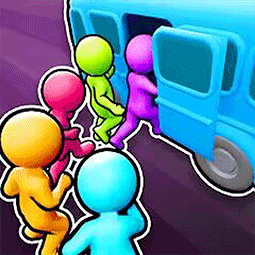
Bus Jam is a boarding puzzle played in a tall portrait window. The title screen is a country leaderboard -- a scrolling banner, ranked entries for China, America, Japan, South Korea, the United Kingdom, France, Germany and Switzerland, each illustrated with a platter of cartoon fruit characters -- with a gear button top left, a yellow Start button fixed at the bottom and 1.0.8 printed in the corner. Past that, a level is a three-part screen. Across the top runs a stage track reading 1-2-3-4-5-Boss alongside a "Remaining" counter. Below it a bus is pulled up at the kerb in a single colour, and under the road sits a row of holding tiles -- some open, some padlocked, some marked with a video icon. Filling the bottom of the screen is a grid of little stick-figure passengers in grey, red, blue and yellow. Four power-up buttons run along the very bottom: Switch, Clear All, +2Spaces and Change Color. As a level plays out the Remaining counter falls, buses of different colours replace each other at the kerb, and the grid empties.
How to play Bus Jam
- Press the yellow Start button on the leaderboard title screen to begin.
- Read the three bands of the level screen: the stage track and Remaining counter at the top, the bus at the kerb in the middle, and the grid of waiting passengers below.
- Move passengers from the grid up into the holding row, and from there onto the bus -- the Remaining counter drops with each one who boards.
- Match the passenger to the bus. The bus at the kerb is a single colour and is replaced by a different one as the level goes on.
- Watch the holding row, not the passenger count. Only some of its tiles are open -- the padlocked ones stay shut -- so it is the thing that runs out.
- Use the four power-ups when the row jams: Switch, Clear All, +2Spaces and Change Color.
- Clear the grid to finish the stage and move along the 1-2-3-4-5-Boss track.
Controls
- Desktop: Left-click the yellow Start button at the bottom of the screen to begin. Drag with the mouse, or scroll, over the leaderboard to move up and down the ranked country entries; the Start button and the gear button stay fixed in place while the list moves. The gear in the top-left corner is the only other control on the title screen; we have not opened it, so what it does is not described here. Inside a level you move passengers from the grid up into the holding row and onto the bus, and use the four power-up buttons along the bottom.
- Mobile / tablet: Tap the yellow Start button at the bottom of the screen to begin. Swipe up and down over the leaderboard to scroll through the country rankings. The layout is portrait, and the Start button stays pinned to the bottom of the screen at any scroll position. The gear icon in the top-left is the only other thing to tap on the title screen; we have not opened it. Inside a level, move passengers from the grid up into the holding row and onto the bus, and tap the power-up buttons along the bottom.
Bus Jam tips & strategy
- Scroll the title screen before you press Start — the country list runs from 1st down to at least 8th place and shows what score each position currently takes.
- The Start button is pinned to the bottom of the screen and stays there while the leaderboard scrolls, so you can begin from any scroll position without going back to the top.
- The gear button in the top-left is the only other control on the title screen; try it before your first run if you want to see what it opens.
- The banner along the top refers to players clearing levels, so expect discrete levels rather than one continuous session.
- The version number 1.0.8 is printed in the bottom-right corner of the title screen — useful to check if the game behaves differently after an update.
What makes Bus Jam fun
Portrait-orientation browser game that opens on a title screen with a single yellow Start button and a gear button. A vertical country leaderboard whose top eight run China, America, Japan, SouthKorea, UnitedKingdom, France, German and Switzerland, each with a score and an illustrated oval platter of cartoon fruit characters — tomatoes, orange and watermelon slices, pink pitted slices, pineapple-like yellow fruit and sprouted white bulbs — set against a yellow crown and dark blocks studded with yellow circles. A scrolling banner along the top showing a challenge message and a count of players clearing levels. The version 1.0.8 is displayed on the title screen. No sign-in, download or payment step stands between the title screen and Start. Past Start, a level screen with a 1-2-3-4-5-Boss stage track and a "Remaining" counter, a single-colour bus at the kerb, a row of holding tiles - some open, some padlocked, some video-badged - a grid of stick-figure passengers, and four power-ups: Switch, Clear All, +2Spaces and Change Color.
Bus Jam gameplay video
Bus Jam FAQ
Is Bus Jam free to play?
Yes. Nothing in it asks for money: the title screen leads straight to a Start button, with no payment, sign-in or download step beforehand, and no price, store or currency anywhere on the screen.
What do you see when the game opens?
A portrait title screen: a gear button in the top-left, a scrolling text banner across the top, a vertical leaderboard of countries with scores and illustrated fruit platters, and a yellow Start button fixed at the bottom of the screen.
Which countries appear on the leaderboard?
The top eight, in descending score order, are China 14190, America 10977, Japan 9795, SouthKorea 9733, UnitedKingdom 9612, France 8384, German 7314 and Switzerland 6053. The list scrolls, so it may well continue past eighth place.
Does the game have levels?
Yes. A stage track across the top of the level screen runs 1-2-3-4-5-Boss, so stages come in sets of five with a boss stage at the end, and the banner on the title screen talks about players clearing levels too.
Which version of the game is this?
The title screen prints 1.0.8 in the bottom-right corner, so everything described here comes from that build.
Games like Bus Jam
 Parking Jam 3D →
 Ball Sort Puzzle →
🔥 Popular games
See all →










