Body Drop 3D
Simulation · Physics · Ragdoll · Casual · by JustPlay
More simulation games
See all →





About Body Drop 3D
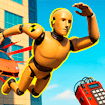
Body Drop 3D is a ragdoll physics simulator where the goal is to launch balls at a floppy, crash-test-dummy character and inflict as much damage as possible before it stops moving. Each of the game's ten levels perches the dummy on a different elevated platform or obstacle course; players get three balls per attempt and must aim at limbs, joints, and pressure points to send the ragdoll tumbling through hazards for maximum destruction. An on-screen body diagram tracks damage in real time, turning redder as bones break and parts take hits, and piling up enough pain points unlocks the next stage. Built in Unity WebGL for smooth ragdoll collision physics, it runs directly in the browser with no download and supports both mouse and touch input. Like most titles in the ragdoll/physics-destruction genre, it rewards experimentation and trial and error more than precision, turning each throw into a small slapstick spectacle of bouncing, breaking, and falling.
How to play Body Drop 3D
- Load a level and check out the platform or structure the dummy is perched on.
- Move your cursor (or finger on mobile) to aim at the dummy's head, torso, or legs.
- Click or tap to launch a ball and knock the dummy off balance.
- Hold the right mouse button (or swipe on mobile) to rotate the camera and line up trickier angles.
- Watch the on-screen body diagram fill with red as bones break and damage points add up.
- Rack up enough pain points from your three balls to unlock the next of the ten levels.
Controls
- Desktop: Move the mouse to aim, then left-click to throw a ball at the dummy. Hold the right mouse button and drag to rotate the camera for a better angle.
- Mobile / tablet: Tap the screen where you want to aim to launch a ball at the dummy. Swipe to rotate or adjust the camera view before throwing.
Body Drop 3D tips & strategy
- Aim for the head or legs first — hitting the extremities tends to knock the dummy furthest off balance for a longer, more damaging fall.
- You only get three balls per level, so scope out the platform and plan your angle before you throw instead of firing blind.
- Rotate the camera before committing to a shot; a better viewing angle makes it much easier to judge distance and trajectory.
- Use the environment — obstacles, edges, and hard surfaces along the fall path add extra collision damage beyond your own throws.
- Check the damage diagram between throws to see which body parts are still untouched, then target those for more points.
- If a level feels stuck, replay it and try a completely different throw order or angle — ragdoll physics reward experimentation.
What makes Body Drop 3D fun
Ten physics-based levels of ragdoll destruction built on Unity WebGL, with a real-time on-screen damage diagram, a three-ball aim-and-throw challenge per stage, and full mouse or touch controls that work on both desktop and mobile browsers.
Body Drop 3D FAQ
Is Body Drop 3D free to play?
Yes. Body Drop 3D runs right in your browser at no cost — no purchase, subscription, or account is required.
How do you play Body Drop 3D?
Aim your cursor (or tap on mobile) at the ragdoll dummy on each level's platform, then throw one of your three balls to knock it off balance. The dummy tumbles and collides with the scenery — try to hit limbs and joints to break bones and rack up damage points before you run out of balls.
Do I need to download Body Drop 3D?
No. It's an HTML5/WebGL browser game that loads and plays instantly — nothing to install.
Can I play Body Drop 3D on mobile?
Yes, the game supports touch controls and plays on phones and tablets as well as desktop browsers.
How many levels does Body Drop 3D have?
The game features ten levels, each built around a different platform or obstacle layout, so the best throwing angles and strategy change from stage to stage.
🔥 Popular games
See all →






