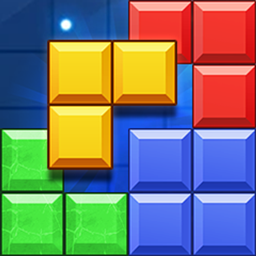
Block Puzzle
Block puzzle · Grid puzzle · Casual puzzle · Logic puzzle
More puzzle games
See all →

About Block Puzzle
Block Puzzle belongs to the "1010-style" grid-drop genre of block-fitting puzzles: a family of games built around a 10x10 board and Tetris-like polyomino pieces, popularized by titles such as 1010! (2014). This browser build lets you place pieces from a small tray (typically three at a time) anywhere they fit on the grid — pieces don't fall or rotate, you position them freely. Filling an entire row or column clears it and scores points, keeping the board open; leaving gaps eventually strands you with pieces that no longer fit anywhere, which ends the run. There are no levels or story, only a running score and a "how long can you last" endless loop. It plays instantly in a desktop or mobile browser with no install or account needed, making it a quick pick-up-and-play session.
How to play Block Puzzle
- Look at the 10x10 grid and the current set of pieces (usually three) waiting in the tray below or beside it.
- Drag a piece onto the grid — or tap/click to pick it up and tap/click a target spot — placing it anywhere it fully fits on empty cells; pieces are not rotated or dropped from above.
- Complete an entire row or column of the grid to clear it; clearing several rows/columns with one placement usually earns a scoring bonus.
- Place all the pieces in the current set one by one; once the tray is empty, a fresh set of pieces appears.
- Keep placing new sets and clearing lines to keep your score climbing and the board from filling up.
- The run ends when none of the pieces currently in your tray can be legally placed anywhere on the board.
Controls
- Desktop: Click and hold a piece in the tray, drag it over the grid, and release the mouse button over a valid empty area to drop it into place.
- Mobile / tablet: Touch and drag a piece from the tray with your finger to an open spot on the grid, then lift your finger to place it.
Block Puzzle tips & strategy
- Keep the board as open as possible by clearing rows and columns regularly instead of letting blocks accumulate in the center.
- Think about all the pieces in the current set together and plan their order, rather than placing the first one that fits.
- Preserve at least one fully open edge or corner so large or awkward pieces still have somewhere to go later.
- Look for placements that complete two or three lines at once for bigger score bonuses instead of clearing one line at a time.
- Avoid leaving single isolated empty cells — most pieces are two or more cells wide, so tiny gaps become dead space.
- When several options exist, place bulky or oddly-shaped pieces earlier while you still have open space to fit them.
What makes Block Puzzle fun
Loads instantly in any modern browser with no download or install needed. The endless, score-chasing format and simple drag-and-drop suit short sessions on desktop or mobile.
Block Puzzle gameplay video
In this clip: This Block Puzzle clip is played on an 8x8 grid. The early frames show colored blocks arranged in patterns on the board, one of them a cross shape with a pink heart reading 216 above the grid. Later frames show a mostly empty board with the score at 5, then blocks along the lower left and right with the score at 19, with a single L-shaped piece waiting below the grid each time.
Block Puzzle FAQ
How do you play Block Puzzle?
Drag pieces from your tray onto the 10x10 grid so they fit on empty cells. Complete a full row or column to clear it and score points, and keep placing pieces from each new set until none of them fit anywhere.
Is Block Puzzle free to play?
Yes — this is a free browser game you can play instantly without paying, downloading an app, or creating an account.
Can I rotate the pieces?
In the classic 1010-style rule set, pieces are placed exactly as shown, without rotation, which is what makes planning ahead important. Check this build's controls, since some block-puzzle variants do allow rotation.
What ends the game?
The game ends when none of the pieces in your current tray can be legally placed anywhere on the remaining empty cells of the grid.
Can I play Block Puzzle on my phone?
Yes, it works in mobile browsers using touch-based drag-and-drop, so no app installation is needed.
Is there a way to actually win, or does it just keep going?
It's an endless, high-score format rather than a game with a final level — the objective is to survive as long as possible and beat your own best score.
Games like Block Puzzle
🔥 Popular games
See all →










