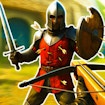
War the Knights
Battle · Strategy · Action · Medieval Multiplayer · by Mirra Games
More casual games
See all →





About War the Knights
War the Knights is a browser-based 3D medieval battle game that drops you into large-scale knight-versus-knight warfare. After picking a faction, the Island or the Coast, you gear up with medieval weapons and fight to break the enemy line and capture the flag. Matches can host large numbers of warriors on the same battlefield at once, so positioning and teamwork matter as much as individual sword skill. You choose loadouts built around two-handed swords, one-handed swords with a shield, spears, maces, bows, and crossbows, then back them up with throwables and healing kits picked up on the field. Built in Unity and playable straight in the browser, War the Knights runs on desktop, tablet, and mobile with no download or account required. It sits in the battle/strategy space alongside other medieval arena brawlers, mixing fast melee combat with team-level tactics like shield walls and flanking runs.
How to play War the Knights
- Load the game in your browser (no install needed) and pick a faction - the Island or the Coast.
- Choose your loadout: a primary melee weapon (two-handed sword, spear, mace, or one-handed sword) plus a bow, crossbow, or shield as your secondary.
- Drop into the battlefield and advance toward the enemy line, sticking with teammates so you don't get surrounded.
- Attack with your weapon and block or aim with the other mouse button; pick up throwables and medkits you find on the ground.
- Work with your team to break enemy formations and capture the flag to win the round.
- Switch weapons or gadgets with the number keys as fights shift between close melee and ranged skirmishes.
Controls
- Desktop: Move with WASD, sprint with Shift, jump with Space, and crouch with Z. Attack with the Left Mouse Button, block or aim with the Right Mouse Button, and throw items with the Middle Mouse Button. Press E to pick up weapons or interact, R for a battle cry, F to kick, and G to throw a melee weapon. Number keys 1-2 switch your primary/secondary weapons and 3-4 switch gadgets.
- Mobile / tablet: The game runs in landscape on phones and tablets with touch controls: an on-screen virtual joystick handles movement, and touch buttons cover attacking, blocking/aiming, jumping, and switching weapons or gadgets - the same core actions as desktop, laid out for touch.
War the Knights tips & strategy
- Pair a two-handed weapon for damage with a shield-and-sword combo when you need to hold a chokepoint - the shield blocks more reliably than trying to dodge in a crowd.
- Save your bow or crossbow for softening enemies before they close the distance rather than trading blows at close range.
- Don't push alone into the enemy line - solo attackers get flanked and cut down fast in team battle-arena games like this.
- Grab medkits and supply crates between fights instead of at full health, since they matter most when you're already low.
- Use terrain and choke points to fight fewer enemies at a time instead of meeting the whole enemy formation head-on.
- Adjust your loadout between rounds based on what's working - a heavy melee build that beats archers may struggle against another shield line.
What makes War the Knights fun
War the Knights pairs large-scale medieval melee combat with a real weapon-and-gadget loadout system, faction-based team battles, and flag-capture objectives, all playable instantly in the browser on desktop or mobile.
War the Knights FAQ
Is War the Knights free to play?
Yes. War the Knights is a free browser game - there's no purchase needed to start a match.
How do you play War the Knights?
Pick a faction, choose a weapon loadout (a melee weapon plus a bow, crossbow, or shield), then fight to break through the enemy line and capture the flag using a mix of melee, ranged attacks, and teamwork.
Do I need to download War the Knights?
No. It's built with Unity WebGL and runs directly in your browser, so there's nothing to install.
Can I play War the Knights on mobile?
Yes - it supports desktop, tablet, and mobile browsers with touch controls, though a larger screen can make aiming and blocking easier.
What's the difference between the primary and secondary weapon slots?
Your primary slot holds a melee weapon like a two-handed sword, spear, or mace, while your secondary slot is a bow, crossbow, or shield - the pair you pick shapes whether you fight up close or at range.
🔥 Popular games
See all →






