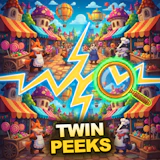
Twin Peeks
Hidden Object · Spot the Difference · Puzzle
More casual games
See all →





About Twin Peeks
Twin Peeks is a browser-based spot-the-difference puzzle game that tests observation and focus. Two nearly identical pictures sit side by side, and five subtle differences are hidden between them across 24 detailed scenes, including busy markets and a mysterious wizard's shop. Beyond the main scene set, Twin Peeks offers an endless mode with randomized differences for open-ended play, plus a daily puzzle that rewards returning for a short session each day. Scoring rewards both accuracy and speed, so careful, methodical scanning beats random clicking. A built-in hint system helps when a difference is proving hard to spot. Like most hidden-object and spot-the-difference titles, it plays instantly in the browser with no download required, works across desktop and mobile, and suits short, relaxing play sessions just as well as longer ones.
How to play Twin Peeks
- Study the two pictures shown side by side — they look identical at first glance but hide five differences.
- Scan each image methodically in sections (top to bottom, corner to corner) rather than jumping around at random.
- Click or tap directly on a difference the moment you spot it in either image to mark it found.
- Zoom in on busy or detailed areas to check fine texture and small objects more closely.
- Use a hint if you get stuck on the last difference or two, rather than burning time hunting blindly.
- Clear all five differences to complete the scene and move on to the next one, the endless mode, or the daily puzzle.
Controls
- Desktop: Click directly on a spotted difference in either image to mark it. Scroll the mouse wheel to zoom in on a scene, and click-drag to pan around once zoomed in. Click the hint button if you're stuck on a remaining difference.
- Mobile / tablet: Tap a spotted difference in either image to mark it. Pinch to zoom in on fine detail, and drag with one finger to pan around the scene. Tap the hint icon for help finding a remaining difference.
Twin Peeks tips & strategy
- Sweep each image in a fixed pattern — left to right, top to bottom — instead of scanning randomly, so you don't miss a spot or recheck the same area twice.
- Pay extra attention to busy, detail-heavy corners of a scene; differences tend to hide better in clutter than in open space.
- Zoom in whenever a difference might be a small color shift, a missing object, or a subtle size change rather than something obvious.
- Compare the two images in matching sections rather than staring at one image as a whole, which makes small mismatches easier to catch.
- Save hints for when you're genuinely stuck rather than using them early, since both accuracy and speed affect your score.
- Try the daily puzzle regularly to build a streak, and switch to endless mode when you want open-ended practice instead of a fixed scene.
What makes Twin Peeks fun
Twin Peeks pairs 24 hand-detailed comparison scenes with an endless mode of randomized differences, a daily puzzle with streak tracking, zoom-and-pan navigation, and a built-in hint system, all playable free in the browser on desktop and mobile with no download.
Twin Peeks gameplay video
Twin Peeks FAQ
Is Twin Peeks free to play?
Yes. Twin Peeks is free to play in your browser on joyforgame.com, with no purchase or subscription required.
How do you play Twin Peeks?
Compare the two side-by-side pictures in each scene and click or tap the five spots where they differ. Zoom in for fine detail and use a hint if you get stuck on the last difference.
Do I need to download anything to play?
No. Twin Peeks runs directly in your browser as an HTML5 game, so there's nothing to download or install.
Can I play Twin Peeks on mobile?
Yes. Twin Peeks works on desktop, tablet, and mobile browsers, with tap and pinch-to-zoom controls built in for touchscreens.
What happens after I finish all 24 scenes?
Once you clear the main scenes, you can keep playing in endless mode, which serves up randomized differences, or return daily for the daily puzzle challenge.
🔥 Popular games
See all →






