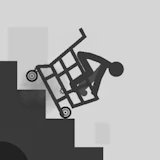
Turbo Crash Test
Stickman · Physics · Ragdoll · Arcade · Casual
More casual games
See all →





About Turbo Crash Test
Turbo Crash Test is a physics-based stickman crash simulator: launch your ragdoll character into obstacle courses and rack up the most spectacular collisions you can. Built in Unity WebGL, it runs straight in the browser on desktop, tablet, and mobile, in landscape orientation, for quick, replayable sessions. Rather than steering in real time, you control the timing and angle of a single launch — lining up your stickman's position, then firing it toward ramps, walls, and staircases and letting the ragdoll physics engine take over. Precision matters: releasing your launch during the "green aura" window triggers a perfect hit that boosts your score, and higher scores unlock upgrades for later runs. Like other games in the dismount and crash-test genre, the fun comes from watching unpredictable, bone-bending physics play out differently every attempt, then trying to beat your own best score. It's a pick-up-and-play arcade experience built around short, replayable bursts rather than a long campaign.
How to play Turbo Crash Test
- Open the game in your browser — it loads instantly via Unity WebGL, no download or install required.
- Use the Up and Right controls to line up your stickman's starting position on the course.
- Watch for the green aura indicator around your character, which marks the ideal moment to launch.
- Press Space on desktop (or tap the on-screen control on mobile) to fire your stickman into the obstacles.
- Earn points based on how much damage and chaos your crash causes, then spend your score on upgrades.
- Replay the course with your upgrades to chase a higher score and refine your launch timing.
Controls
- Desktop: Up and Right arrow keys adjust your stickman's position before launching; press Space to launch into the obstacle course. Timing your launch to the green aura earns bonus points.
- Mobile / tablet: Tap the on-screen directional controls to adjust position, then tap the launch button to send your stickman flying — the same timing-based launch mechanic as desktop, adapted for touch, in landscape orientation.
Turbo Crash Test tips & strategy
- Take a moment to line up your position carefully before launching — rushing the setup usually means a wasted attempt.
- Watch for the green aura around your character; launching while it's active is the key to landing a high-scoring 'perfect' hit.
- Bigger, messier collisions with obstacles tend to score higher than clean, gentle landings, so aim for maximum impact.
- Put your score toward upgrades as soon as you can, then use the advantage on your next run through the course.
- Expect some trial and error early on — learning how the obstacles and launch timing interact is part of the challenge in dismount-style games.
- If you're on mobile, play in landscape mode for the clearest view of the course and controls.
What makes Turbo Crash Test fun
Unity WebGL ragdoll physics drive unpredictable, replayable crashes, built around a precision-timing launch mechanic, a green-aura bonus window, and score-based upgrades that reward repeated attempts.
Turbo Crash Test FAQ
Is Turbo Crash Test free to play?
Yes. It's a free browser game — no purchase, download, or account needed to play.
How do you play Turbo Crash Test?
Adjust your stickman's position with the Up and Right controls, then launch with Space (or a tap on mobile) to send it into the obstacle course. Timing the launch to the green aura earns bonus points toward unlocking upgrades.
Do I need to download anything to play?
No. The game runs directly in your browser using Unity WebGL, so there's nothing to install.
Can I play Turbo Crash Test on mobile?
Yes. It works on desktop, tablet, and mobile browsers in landscape orientation, with touch controls replacing the keyboard inputs.
What does the green aura mean in Turbo Crash Test?
It marks the ideal launch window. Releasing your stickman while the aura is active lands a 'perfect' launch for a higher score, instead of a mistimed, lower-scoring hit.
🔥 Popular games
See all →






