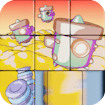
Sliding Slide
Puzzle · Sliding Tile Puzzle · Casual
More casual games
See all →




About Sliding Slide
Sliding Slide is a classic sliding tile puzzle. An image is cut into a grid of square tiles with one space left empty, the tiles are shuffled, and you slide them one at a time into the empty slot to rebuild the picture. It offers three difficulty levels with larger grids, so the puzzle gets harder as you progress, and the loop is simple: shuffle, slide, solve, then try to beat your own time.
How to play Sliding Slide
- Choose a difficulty level; each one uses a bigger grid with more tiles.
- Study the shuffled tiles and the one empty space on the board.
- Click or tap any tile next to the empty space to slide it into that gap.
- Keep sliding tiles, one move at a time, until the picture is reassembled correctly.
- Watch the timer and try to complete the puzzle as fast as possible.
- Finish a level to move on to the next, tougher difficulty and chase a new best time.
Controls
- Desktop: Mouse: click a tile adjacent to the empty space to slide it into that gap.
- Mobile / tablet: Touch: tap a tile next to the empty space to slide it into the gap.
Sliding Slide tips & strategy
- Work on one corner or edge of the image first and lock those tiles in place before moving to the rest.
- Solve the top row and left column first, then focus on the remaining smaller grid.
- Study the full picture preview before you start moving tiles so you know what you are rebuilding.
- On higher difficulty levels, plan two or three moves ahead to avoid undoing progress.
- Replay a level after solving it once; already knowing the final image makes it much easier to beat your previous time.
What makes Sliding Slide fun
The appeal is the classic slide puzzle format done cleanly: rebuild an image piece by piece across three levels of increasing grid size, with a timer that turns each solve into a personal speed challenge.
Sliding Slide FAQ
Is Sliding Slide free to play?
Yes, it is a free browser-based HTML5 game with no purchase or subscription needed.
Do I need to download anything to play?
No download or install is required. It runs directly in your web browser.
Can I play Sliding Slide on mobile?
Yes, it supports touch controls, so it works on phones and tablets as well as desktop.
How many difficulty levels does the game have?
There are three difficulty levels, each using a larger tile grid than the last for a tougher puzzle.
🔥 Popular games
See all →









