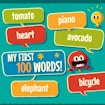
My First 100 Words
educational · word · memory · language learning
More .io games
See all →






About My First 100 Words
My First 100 Words is a browser-based vocabulary game built for young learners and anyone picking up a new language. Instead of a plain flashcard drill, it pairs an emoji with its written word and a spoken pronunciation, then asks the player to pick out the matching emoji when it's called out loud. Content is available in English, Spanish, French, and Norwegian, with close to 200 words tracked per language and new vocabulary added over time. Progress runs across 31 levels, with the word pool and difficulty gradually stepping up as players move forward, so the game works both as a first introduction to new words and as light repetition practice for words already learned. Because every word is reinforced with audio, there's no reading requirement to get started, which makes it approachable for pre-readers as well as older kids and adults studying a language. It plays instantly in the browser on desktop or mobile, no download or account needed.
How to play My First 100 Words
- Open the game and it loads into one of the supported languages: English, Spanish, French, or Norwegian.
- Watch and listen as an emoji is shown together with its written word and spoken pronunciation.
- Listen for the audio prompt asking for a specific word from the vocabulary set.
- Click (desktop) or tap (mobile) the emoji that matches the word you heard.
- Answer correctly to move on; incorrect picks let you try again so the word sticks before you advance.
- Keep progressing through the 31 levels as new words are introduced and rounds get more challenging.
Controls
- Desktop: Point and click with the mouse to select the emoji that matches the spoken word or prompt.
- Mobile / tablet: Tap the screen to select the matching emoji; the game is built for touch play on phones and tablets.
My First 100 Words tips & strategy
- Play with the sound on - the audio pronunciation is what tells you which emoji is actually being asked for.
- If you're unsure of a word, check the written label shown next to each emoji before you answer.
- Go through the levels in order rather than skipping ahead, since later rounds build on vocabulary introduced earlier.
- Try a different language to reuse the same emoji-matching format for practicing a second set of words.
- Take an extra beat on brand-new levels to register each new emoji-word pair before the prompts start.
- Replay earlier levels if you want quick review instead of learning new words.
What makes My First 100 Words fun
Emoji-based vocabulary matching backed by written words and spoken pronunciation, 31 levels of gradually increasing difficulty, and support for English, Spanish, French, and Norwegian with close to 200 words per language.
My First 100 Words FAQ
Is My First 100 Words free to play?
Yes. It's completely free to play in your browser on joyforgame.com, with no download or account required.
How do you play My First 100 Words?
Each round shows an emoji paired with its word and pronunciation; when the audio prompt asks for a specific word, click or tap the matching emoji to answer correctly and move to the next round.
Can I play My First 100 Words on mobile?
Yes, the game runs directly in mobile browsers with touch controls, as well as on desktop with a mouse.
Do I need to download an app to play?
No - it's an HTML5 browser game, so you can open the page and start playing instantly with no install.
What languages can I learn with this game?
The game currently supports English, Spanish, French, and Norwegian, each with a growing set of close to 200 words.
🔥 Popular games
See all →






