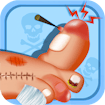
Monster Nail Doctor
Nail doctor / care sim · Virtual surgery · Kids-friendly · Casual simulation
More casual games
See all →



About Monster Nail Doctor
Monster Nail Doctor is a free browser care simulator rather than a nail design game, and the distinction matters: the nails arrive damaged and the job is to treat them, not to decorate them. What softens it is the cast. The patients are monsters with deliberately odd injuries, so the clinical steps — cleaning, trimming, applying treatments with interactive surgical tools — land as cartoon problem-solving rather than as anything squeamish, and the game is explicitly built to stay kid-friendly throughout. Each case follows the same shape: assess what is wrong, pick the right tool, work through the treatment stages, and finish with a healed patient. It sits in the same family as Nail Doctor and Crazy Halloween Nail Doctor, and of the three it is the gentlest. It runs instantly in the browser with no download, install or account, is mouse-driven on a desktop and touch-driven on a phone, and is built portrait so it works held normally.
How to play Monster Nail Doctor
- Take the next monster patient and look at what is wrong with the nail before touching anything.
- Select the tool the stage calls for from the tray — the game indicates which one it expects.
- Work through the cleaning and trimming steps in the order presented.
- Apply the treatment the case needs, following the on-screen prompts.
- Finish the case and see the healed result.
- Move on to the next patient; each one presents a different problem.
Controls
- Desktop: Mouse only. Click to select a tool from the tray, then click or drag on the affected area to use it.
- Mobile / tablet: Tap to pick a tool and drag to use it. Built portrait, so it works one-handed on a phone.
Monster Nail Doctor tips & strategy
- Look at the case before reaching for a tool — each patient's problem is different and the tools are not interchangeable.
- Follow the stage order the game sets. Treatments applied before the cleaning steps generally will not take.
- If a tool does nothing, it is the wrong one for that stage rather than a bug; go back to the tray.
- This is a treatment game, not a design game. If what you want is polish and stickers, pick a nail salon game instead.
- The monster framing keeps it light, but it is still built around injuries — worth knowing before handing it to a squeamish player.
- Each case is short, so it suits brief sessions better than a long sitting.
What makes Monster Nail Doctor fun
Monster patients, interactive surgical tools and staged treatments, with a deliberately kid-friendly tone — free in the browser with no download.
Monster Nail Doctor FAQ
Is Monster Nail Doctor a nail art game?
No. It is a care simulator: the nails arrive damaged and you treat them with clinical tools. If you want to design and decorate nails, choose a nail salon game such as Princess Nail Art instead.
Is Monster Nail Doctor free?
Yes — it plays free in your browser with no download, no install and no account.
Is it suitable for children?
It is built to be kid-friendly, and the monster patients keep the injuries cartoonish rather than realistic. It is still a treatment game, so a child who dislikes doctor games will not enjoy it.
How do I play it?
Assess each monster patient's nail, pick the tool the stage calls for, work through the cleaning and trimming steps in order, then apply the treatment and finish the case.
Why isn't my tool doing anything?
It is almost certainly the wrong tool for that stage. These games expect a specific order, so go back to the tray and pick the one the prompt indicates.
Does it work on a phone?
Yes. It is portrait and entirely touch-controlled, so it works held normally.
🔥 Popular games
See all →









