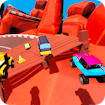
Mini Car Racing
Racing · Arcade · Driving
More racing games
See all →

About Mini Car Racing
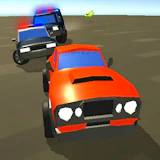
Mini Car Racing is a browser-based arcade racer (built in Unity/WebGL) where you drive small, cartoonish cars through obstacle-filled tracks. The core loop is straightforward: race a course while dodging hazards and pulling off maneuvers to rack up points, which you then spend on upgrades for your vehicle. It leans toward fast, chaotic arcade fun rather than realistic driving simulation.
How to play Mini Car Racing
- Start a race and use the arrow keys to steer your car left and right.
- Hold the up arrow to accelerate and the down arrow to brake or reverse.
- Dodge obstacles and other traffic on the track to avoid losing speed or crashing.
- Watch for alternate paths along the course - some tracks may reward finding a faster line.
- Earn points during runs and use them to unlock or upgrade your car between races.
- Replay tracks to improve your time or score.
Controls
- Desktop: Arrow keys: Up = accelerate, Down = brake/reverse, Left/Right = steer.
- Mobile / tablet: The game is built for desktop browser play with keyboard controls; on-screen touch controls are not confirmed to be available, so it plays best on a computer.
Mini Car Racing tips & strategy
- Tap the steering keys in short bursts through tight turns instead of holding them down, so you don't overcorrect and clip the track edge.
- Keep an eye out for alternate paths - a faster line can shave time off a lap.
- Prioritize point-scoring maneuvers early in a run so you have currency to upgrade your car before harder sections.
- Ease off the accelerator slightly before sharp corners rather than braking hard mid-turn, to keep more of your speed through the exit.
- Replay tracks once you've upgraded your car - a stronger vehicle can open up lines that weren't possible on your first attempt.
What makes Mini Car Racing fun
The appeal is in its pick-up-and-play arcade pacing: short tracks, an emphasis on speed and near-misses over realistic physics, and a light car-upgrade loop that gives repeat runs a reason to keep going.
Mini Car Racing FAQ
Is Mini Car Racing free to play?
Yes. It runs directly in your browser on joyforgame.com at no cost - no purchase or subscription required.
Do I need to download anything to play?
No download or install is needed. The game runs on Unity WebGL directly in the browser.
Can I play Mini Car Racing on mobile?
The game is designed primarily for desktop browsers with keyboard controls; reliable touch-control support on phones is not confirmed, so a computer gives the more consistent experience.
How do the car upgrades work?
You earn points during races by racking up maneuvers and good runs, then use those points to upgrade your car, making later tracks more manageable.
🔥 Popular games
See all →










