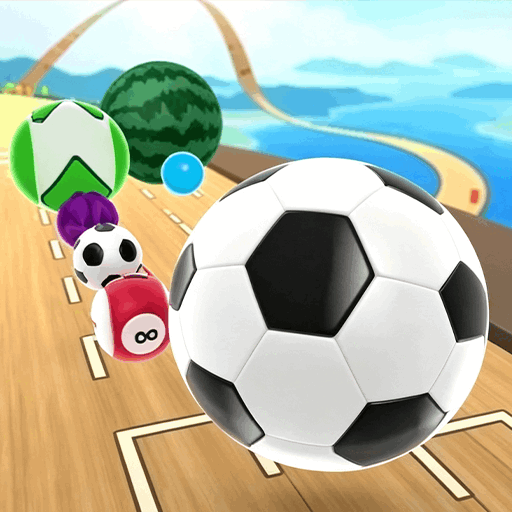
Ball Racing 3D
3D ball dodge/roll runner · arcade · casual
More racing games
See all →


About Ball Racing 3D
Ball Racing 3D sits in the 3D ball dodge/roll runner genre, an arcade category where players steer a constantly-moving sphere along a track instead of controlling a car or character on foot. The ball rolls forward on its own, and the player's job is to keep it centered, dodge obstacles, clear gaps, and react to hazards that appear faster as the run progresses. This browser build follows that same standard loop: quick runs, instant restarts after a crash, and a focus on reflexes and steering precision rather than a long story or campaign. It plays directly in the browser with no download or account needed. Specific details of this particular build, such as its developer or exact number of levels, are not publicly documented, so this page describes the genre's well-established, verifiable rules rather than guessing at bespoke features.
How to play Ball Racing 3D
- The ball moves forward automatically (or accelerates as you hold a control); your job is to steer it, not stop it.
- Use left/right steering to keep the ball centered on the track and avoid sliding off the edges.
- Time jumps or lane changes to clear gaps, spinning bars, moving platforms, or other obstacles as they appear.
- Collect coins, gems, or boosters along the path where present, without straying off the safe route to reach them.
- Watch for the track narrowing, splitting, or speeding up, and adjust steering earlier rather than reacting at the last instant.
- One collision or fall usually ends the run; the goal is to beat your previous distance, score, or time before that happens.
Controls
- Desktop: Steer with the Left/Right Arrow keys or A/D; some builds also support click-and-drag with the mouse to slide the ball sideways. Spacebar or Up Arrow is commonly used to jump where jumping is part of the track.
- Mobile / tablet: Swipe or drag left/right on the screen to steer the ball; tap to jump on tracks that include gaps or hurdles. Some builds use tilt (device accelerometer) as an alternative steering method.
Ball Racing 3D tips & strategy
- Look 2-3 obstacles ahead instead of staring at the ball itself; reaction time improves when you plan the path rather than react at the last moment.
- Make small, early steering corrections rather than sharp last-second turns, which are the most common cause of overshooting off the track.
- Learn recurring obstacle patterns; many tracks reuse a limited set of hazard segments, so familiarity pays off on later attempts.
- Prioritize staying alive over grabbing every collectible, especially early on, since a risky reach for a coin is rarely worth ending the run.
- Expect the pace to increase the longer you survive, and mentally prepare for tighter timing windows rather than being caught off guard.
- Use light, precise inputs at high speed; oversteering tends to send the ball off the track faster than understeering does.
What makes Ball Racing 3D fun
Runs instantly in your browser with no download or install needed. Games of this type generally play on both desktop and mobile.
Ball Racing 3D FAQ
How do I play Ball Racing 3D?
The ball rolls forward automatically; you steer it left and right (and jump, if the track calls for it) to stay on the path, avoid obstacles, and not fall off the edges or into gaps.
Is Ball Racing 3D free to play?
Browser games in this genre are typically free to play instantly in the browser with no purchase required.
What are the basic rules?
Keep the ball on the track and avoid contact with obstacles, barriers, or open gaps. Forward motion is usually automatic and speeds up over time, so a single mistake at high speed usually ends the run and restarts it.
What's the best strategy for a rolling-ball runner?
Watch a couple of obstacles ahead rather than the ball itself, make small early corrections instead of sharp last-second turns, and ease off precise inputs rather than overcorrecting once speed picks up.
Can I play on mobile?
Yes, browser 3D ball roller games are generally built to support touch controls like swiping or tapping on phones and tablets, in addition to keyboard controls on desktop.
Do I need to create an account to play?
No, browser games of this type are normally playable directly in the browser without sign-up, though this can vary by hosting site.
Games like Ball Racing 3D

🔥 Popular games
See all →










