
Moto X3M: Spooky Land
Racing · Stunt Bike · Halloween · Side-Scrolling · by MadPuffers
More racing games
See all →



About Moto X3M: Spooky Land
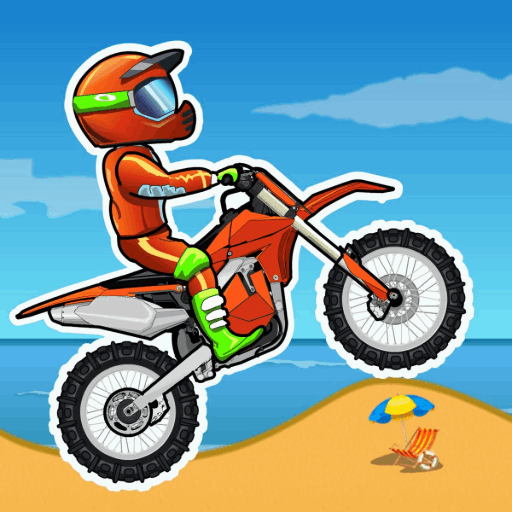
Moto X3M: Spooky Land is the Halloween-themed sixth entry in the Moto X3M stunt-bike series, developed by MadPuffers. Riding a motorbike through 22 haunted tracks, players race against the clock across graveyards, pumpkin patches, and moonlit dirt roads littered with skulls, swinging axes, spike pits, and collapsing platforms. The goal on every level is simple: reach the finish line as fast as possible while staying upright, since crashes and slow, cautious driving both cost precious seconds. Landing backflips and other aerial tricks trims time off the clock, rewarding players who mix speed with style rather than just flooring the throttle. Faster runs earn more stars, which unlock new bikes and riders. With physics-based bike balancing, tight timing windows, and Halloween-flavored hazards layered onto the classic Moto X3M formula, Spooky Land suits players who enjoy short, replayable stunt-racing levels that reward precision and quick reflexes over brute force.
How to play Moto X3M: Spooky Land
- Pick a level from the level-select screen and get ready at the starting line.
- Accelerate to build speed while keeping your bike balanced across ramps, hills, and narrow paths.
- Lean forward or backward in mid-air to control flips and land safely on both wheels.
- Dodge or jump over hazards like spikes, axes, pits, and moving platforms so you don't crash and lose time.
- Pull off backflips whenever you get airtime to shave extra time off your run.
- Cross the finish line, check your star rating, then replay the level to chase a faster time or move on to the next track.
Controls
- Desktop: W or Up Arrow to accelerate, S or Down Arrow to brake/reverse, A/Left Arrow and D/Right Arrow to lean the bike backward or forward for balance and flips, Space to restart the level.
- Mobile / tablet: Tap and hold the on-screen accelerate button to speed up, tap the brake button to slow down or reverse, and use the on-screen lean/tilt buttons to rotate the bike in the air, the same flip mechanics as desktop, adapted for touchscreens.
Moto X3M: Spooky Land tips & strategy
- Read the upcoming terrain before committing to full speed, in stunt-bike games, blind acceleration causes more crashes than careful pacing.
- Match your landing angle to the ramp: lean back to land nose-up, lean forward to land nose-down, and avoid landing flat or on one wheel.
- Look for backflip opportunities on longer jumps, a clean flip trims time off your final clock.
- Restart immediately after a bad crash instead of trying to recover; a fast retry usually beats limping to the finish.
- Ease off the throttle near spike pits, axes, and narrow gaps, sudden braking or overcorrecting close to hazards is a common cause of crashes.
- Replay levels you've already cleared once you know the hazard layout, aiming for a 3-star time.
What makes Moto X3M: Spooky Land fun
22 Halloween-themed levels filled with skulls, traps, and stunt jumps, a time-based star rating system, backflip time bonuses, and unlockable bikes and riders.
Moto X3M: Spooky Land FAQ
Is Moto X3M: Spooky Land free to play?
Yes. Moto X3M: Spooky Land is completely free to play in your browser on joyforgame.com, with no download or purchase required.
How do I play Moto X3M: Spooky Land?
Accelerate with W or the Up Arrow, brake with S or the Down Arrow, and use A/D or the Left/Right Arrow keys to lean your bike in the air for balance and flips. The goal is reaching the finish line as fast as possible without crashing.
Can I download Moto X3M: Spooky Land?
No download is needed. It's an HTML5 game that runs directly in your browser, so there's nothing to install on your computer or phone.
Can I play Moto X3M: Spooky Land on mobile?
Yes. The game supports touchscreen controls and works on phones and tablets as well as desktop browsers.
Do backflips affect my score in Moto X3M: Spooky Land?
Yes. Landing backflips while airborne shaves time off your finishing clock, so combining stunts with speed helps you earn a higher star rating on each level.
🔥 Popular games
See all →






