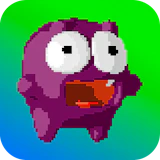
Canjump
Arcade · Platformer · Hypercasual · Skill · by PitiGameDev
More casual games
See all →





About Canjump
Canjump is a one-button arcade platformer built around a single skill: jumping at exactly the right moment. You guide a bouncy little monster character forward as it hops through a stream of obstacles, gaps, and hazards, with no sideways movement to rely on — timing is the entire game. Tap or click to jump, and the terrain keeps testing your reflexes with tighter and trickier obstacle patterns the longer you survive. It's built in the easy-to-learn, hard-to-master style typical of hypercasual arcade games: sessions are short, restarts are instant, and the goal is simply to beat your own best run. Canjump plays entirely in the browser with no download or install, works on both desktop and mobile, and fits the pick-up-and-play pace of casual and skill-game fans who enjoy precision-timing challenges like endless jumpers and reflex platformers.
How to play Canjump
- Open Canjump in your browser — no download or account needed to start playing.
- Watch your monster character as it sits in place or moves forward on its own.
- Tap the screen (or click/press a key) to make it jump over the next obstacle.
- Time each jump carefully — you can't steer left or right, so timing is your only tool.
- Chain jumps together to keep going as the obstacle patterns get faster and more complex.
- If you miss and hit an obstacle, restart instantly and try to beat your previous run.
Controls
- Desktop: Click the mouse (or press the designated key, typically spacebar) to make your monster jump — there's no left/right movement, so a single input handles the whole game.
- Mobile / tablet: Tap anywhere on the screen to jump. Controls are fully touch-optimized, with no virtual joystick or buttons to manage.
Canjump tips & strategy
- Focus on the upcoming obstacle, not your character — reading what's ahead gives you more reaction time than watching the monster itself.
- Use short, deliberate taps rather than mashing — an extra accidental tap can trigger a mistimed jump.
- Obstacle patterns tend to repeat with small variations, so replaying builds pattern recognition that pays off on longer runs.
- Play in short bursts — one-button timing games are most punishing when fatigue creeps in, so a fresh run often beats grinding one long session.
- On mobile, tap a consistent spot on the screen so your input registers the same way every time.
- Since restarts are instant, treat each attempt as practice for reading the jump window rather than getting frustrated by a miss.
What makes Canjump fun
A single-tap arcade platformer that's simple to learn but tough to master, with progressively tighter obstacle patterns, instant restarts, and zero downloads — open it in your browser and start jumping right away.
Canjump FAQ
Is Canjump free to play?
Yes. Canjump is completely free to play in your browser, with no purchase or subscription required.
How do I play Canjump?
Tap the screen (or click/press a key on desktop) to make your monster jump over incoming obstacles. You can't move left or right, so success comes down to timing each jump precisely.
Do I need to download Canjump?
No. Canjump runs directly in your browser as an HTML5 game — there's nothing to install.
Can I play Canjump on mobile?
Yes, Canjump is fully playable on phones and tablets with responsive touch controls, in addition to desktop browsers.
Why is timing so important in Canjump?
Since your character can't move sideways, jumping is your only tool. Jumping even a moment too early or too late causes a collision, which is what makes this style of one-button game so challenging to master.
🔥 Popular games
See all →






