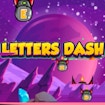
Letters Dash
Typing · Arcade · Educational
More arcade games
See all →


About Letters Dash
Letters Dash is the one that drills individual keys rather than words, which makes it the right starting point if you are still hunting for letters on the keyboard. Rockets fall from the sky, each carrying a letter, and you match them with the corresponding keystroke before they land. Because there are no words to read, there is nothing to slow you down except your own knowledge of where the keys are, which is precisely the skill the game is isolating. The tempo escalates steadily as you survive, so it functions as a reaction drill as well as a key-location drill. The framing is educational and that is honest: this is closer to a typing tutor with arcade pacing than to a game with typing bolted on. If you can already touch-type, you will exhaust it quickly and should go straight to the word-based games on this hub instead. If you cannot, this is where to start, because word games punish you for a weakness this one actually fixes.
How to play Letters Dash
- Watch the rockets falling, each marked with a letter.
- Press the matching key before a rocket lands.
- Keep pace as the tempo escalates.
- Stay alive as long as your reactions and key knowledge allow.
Controls
- Desktop: A physical keyboard. Press the letter key shown on each falling rocket.
- Mobile / tablet: Requires a keyboard, so desktop or laptop is recommended.
Letters Dash tips & strategy
- Keep your fingers on the home row and reach from there. The whole value of this game is building that reflex.
- Do not look at the keyboard. If you are looking down, the game is training your eyes rather than your fingers.
- If you can already touch-type, skip this and go to Typing Battle or Shape Typing; you will outgrow it in minutes.
- When the tempo spikes, prioritise the lowest rocket rather than the one you noticed first.
What makes Letters Dash fun
Single-letter typing drill with falling rockets and an escalating tempo, framed as an arcade game. Free online, keyboard required.
Letters Dash FAQ
Does Letters Dash use words or letters?
Single letters. Each falling rocket carries one, and you press the matching key. That makes it a key-location drill rather than a typing-speed game.
Who is it for?
Anyone still hunting for keys on the keyboard. If you can already touch-type you will exhaust it quickly and should move to the word-based games on this hub.
Does it get harder?
Yes, the tempo escalates steadily as you survive, so it drills reaction speed as well as key knowledge.
Is it free?
Yes, free in the browser with nothing to install.
🔥 Popular games
See all →









