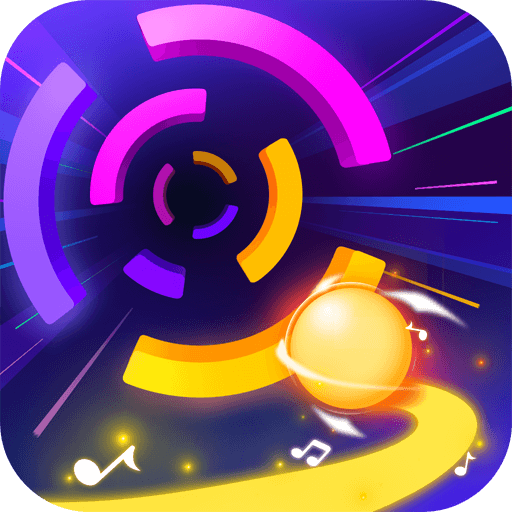
Smash Colors 3D
Rhythm · Arcade · Hyper-casual · Endless runner · by Badsnowball Limited
More arcade games
See all →




About Smash Colors 3D
Smash Colors 3D is a fast-paced rhythm-arcade game where you guide a glowing neon ball down a pulsing track set to EDM music. Hold and drag left or right to steer, smashing through rings and segments that match your ball's current color while dodging every mismatched hue — a single wrong touch ends the run and restarts the song. The ball changes color at drops and transitions, so you are constantly reading the beat and repositioning. Collected gems unlock a library of 100-plus tracks spanning electronic, pop, and lo-fi, plus dozens of custom ball skins and particle trails. Originally a mobile hit developed by Badsnowball Limited, it blends the reflex challenge of an endless runner with the timing of a music game. On this site you can play a browser version instantly in your web browser, with no download required.
How to play Smash Colors 3D
- Hold and drag left or right (mouse or finger) to slide the ball across the track.
- Match your ball's color: only pass through the rings and segments that share its current color.
- Avoid mismatched colors — hitting a segment of the wrong color ends the run and restarts the track.
- Watch for color-swap points where the ball changes hue at beat drops, then quickly re-aim toward the new matching color.
- Collect the diamonds and gems scattered along the track to unlock new songs and ball skins.
- Stay on the beat: obstacles move in time with the music, so timing your lane changes to the rhythm keeps you alive.
Controls
- Desktop: Move the mouse left and right (hold-and-drag on most browser ports) to steer the ball; keep it lined up with the upcoming color that matches its own.
- Mobile / tablet: Swipe or hold and drag your finger left and right across the screen to slide the ball between color lanes.
Smash Colors 3D tips & strategy
- Look ahead at the upcoming color band instead of staring at the ball, so you can line up your move early.
- Use small, smooth adjustments — the ball responds instantly, and over-correcting is the most common cause of a miss.
- Replay a song to learn its pattern; because obstacles sync to the beat, tracks become predictable with practice.
- Prioritize survival over collecting gems — only grab diamonds that already sit in your safe, matching lane.
- Right after a color swap, immediately steer toward the nearest matching segment rather than holding your old line.
- On very fast tracks, match by sight rather than by ear; watching the colors is more reliable than reacting to the music alone.
What makes Smash Colors 3D fun
Rhythm-driven color-matching gameplay synced to a soundtrack of 100+ EDM, pop, and lo-fi tracks; simple one-touch steering that is easy to pick up but hard to master; escalating speed and shifting neon obstacles; collectible gems that unlock songs, ball skins, and particle trails; vivid neon-on-dark visuals; and short, replayable runs ideal for quick sessions. The browser version hosted here loads instantly with no install.
Smash Colors 3D gameplay video
In this clip: The clip shows a run through a neon tunnel. The ball is cyan in one frame, with a 'Hold & Drag to control' prompt below it, and green in a later frame as it meets the green section of a magenta, yellow and green ring at 456 points. Two frames are dimmed screens with a number inside a cyan ring (3, then 4) above a 'Continue' button, the second with the score at 262.
Smash Colors 3D FAQ
Who developed Smash Colors 3D?
It was developed by Badsnowball Limited, launching on iOS and Android around 2019.
Is the browser version on this site official?
No. The original Smash Colors 3D is a mobile game by Badsnowball Limited. Browser versions hosted on game portals — including this one — are unofficial fan ports or clones, not published by the original developer. We host it for free play and do not claim ownership of the game.
Is Smash Colors 3D free to play?
Yes. The mobile original is free with ads and optional in-app purchases, and the browser version here is free to play with no download.
How do you change the ball's color?
You do not control the color directly. The ball automatically changes color at song drops and set points, so you have to react and steer toward the segments that match its new color.
Do I need to download or install anything to play in the browser?
No. The browser version runs directly in your web browser; you just need a connection to load it, after which play starts right away.
How many songs or levels are there?
The game advertises a library of over 100 tracks, each acting as a level with its own tempo and difficulty. Gems earned during play unlock the premium songs.
Games like Smash Colors 3D
🔥 Popular games
See all →






