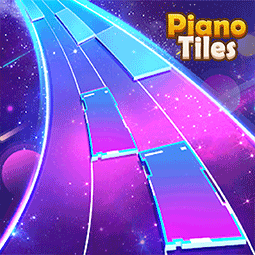
Piano Tiles
Rhythm · Arcade · Music · Casual
More music games
See all →




About Piano Tiles
Piano Tiles is a fast-paced rhythm and reflex game built for instant play in the browser. Four columns of black and white tiles stream downward in time with a piano track, and the rule never changes: tap every black tile before it scrolls past the bottom, and never touch a white one. Hitting a black tile plays its note, so a clean run recreates the melody note by note, while a mistimed tap or a stray click on white ends the round immediately. There's no story or level map — success is measured in notes played, songs cleared, or how long you can keep the tempo up as it accelerates. It's a genre popularized by mobile hits like the original "Don't Tap the White Tile," and this HTML5 build brings the same tap-to-the-beat challenge to desktop and mobile browsers with no download required.
How to play Piano Tiles
- Watch the four vertical columns as tiles continuously scroll toward the bottom of the screen.
- Tap or click each black tile the instant it's in your row — a correct hit plays that tile's piano note.
- Never tap a white tile, and never let a black tile scroll past the bottom uncaught — either mistake ends the run instantly.
- Keep pace as the tempo increases the longer you survive or the deeper you get into a song.
- Chase a higher tile count in endless mode, or clear the full track in song mode.
Controls
- Desktop: Click the tiles with the mouse as they scroll down; some builds also map the four columns to the A, S, D and F keys for keyboard play.
- Mobile / tablet: Tap the tiles directly with your fingers as they enter the bottom of each column — touch is the default and only input needed on phones and tablets.
Piano Tiles tips & strategy
- Keep your gaze on the whole board rather than fixating on one tile — peripheral vision helps you catch the next column in time.
- Rest your fingers over the A/S/D/F keys or the tile columns ahead of time rather than hunting for each tap, since speed ramps up quickly.
- Prioritize accuracy over rushing — a single miss or stray tap on white ends the run instantly, so a clean steady rhythm beats a fast sloppy one.
- Restart quickly after a fail so short attempts help you isolate the exact speed where your timing starts to break down.
- Play with sound on — hearing each note land helps you feel the rhythm instead of relying on sight alone.
What makes Piano Tiles fun
Instant no-install browser play, a four-column tap-the-black-tile mechanic, real piano notes triggered on each successful hit, tempo that accelerates the longer you last, and score or song-completion tracking that rewards both accuracy and endurance.
Piano Tiles gameplay video
In this clip: After a short 'Downloading song's data...' loading screen, the clip shows the four-column tile board with the counter at 4 and then at 15, including tall blue-to-black tiles marked with a line and a circle. It ends on a popup reading 'New Highscore 16!!!' that offers a Continue option marked with a diamond and 'x 2'.
Piano Tiles FAQ
Is Piano Tiles free to play?
Yes — the HTML5 version runs directly in a browser tab at no cost, with no account or download required.
What happens if I tap a white tile?
The run ends immediately, exactly as it does if you miss a black tile and let it scroll off the bottom of the screen.
Do I need to read music to play?
No — the tiles show exactly when and where to tap, so no musical training is required to play or improve.
Can I play Piano Tiles on my phone?
Yes, the game responds to touch input and runs in mobile browsers as well as on desktop.
Is this the original Piano Tiles app from the App Store?
No. This is an independent HTML5 browser build of the tap-the-black-tiles concept popularized by the 2014 mobile hit; it is not affiliated with Umoni Studio, Cheetah Mobile, or Kooapps, the companies behind the original mobile series.
Does Piano Tiles have levels I can look up solutions for?
No — it's an endless reflex / song-select game rather than a puzzle with fixed numbered levels, so there is no walkthrough or fixed solution to reference.
Games like Piano Tiles
🔥 Popular games
See all →










