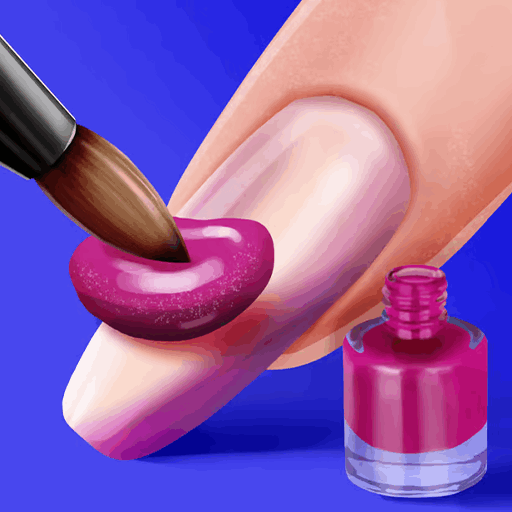
Nails Diy Manicure Master
Nail art / manicure · Beauty & makeover · Creative sandbox · Girls games
More dress-up games
See all →




About Nails Diy Manicure Master
Nails Diy Manicure Master is a free browser manicure game built around themed polish sets rather than a single colour picker, and it front-loads three choices most nail games skip. It opens on a carousel of themed racks — Cute and Ocean among them — and the rack you choose decides which polishes and which sticker sheets you have for that run: the Cute set carries pastel bottles with animal, flamingo, palm and cactus decals, and the other sets swap both the palette and the stickers. Only after that does the manicure itself begin, and it asks for the model's skin tone from a row of six swatches before any nail work starts, then for a nail shape from a rack where several shapes are locked until later. Polish and decoration come last. The order is the point: shape and skin tone both change how a colour reads, which is the same reason a real salon settles them first. It runs instantly in the browser with no download, install or account, and is click-and-drag on a desktop and tap-and-drag on a phone.
How to play Nails Diy Manicure Master
- Pick a themed set from the opening carousel — each one comes with its own polish colours and its own sticker sheets, so this choice sets your whole palette.
- Choose the model's skin tone from the row of six swatches, then tap the forward arrow.
- Choose a nail shape from the rack along the bottom; some shapes stay locked until you have progressed further.
- Apply the base polish colour, working nail by nail.
- Add decoration from the set's sticker sheets — animals, flowers and patterns, placed by dragging them onto a nail.
- Finish the look and start a new run with a different themed set to get an entirely different palette.
Controls
- Desktop: Mouse only. Click to choose a set, a skin tone, a nail shape and a polish; click a nail to apply the selected colour; click and drag stickers into place. The arrow button at the top right advances to the next step and the home button at the top left returns to the set carousel.
- Mobile / tablet: Tap to select and apply; drag stickers onto a nail to place them. The layout fits the screen it opens on, so it works held normally on a phone.
Nails Diy Manicure Master tips & strategy
- Choose the themed set deliberately — it locks your palette and stickers for the whole run, and you cannot borrow a colour from another set mid-manicure.
- Settle the skin tone before you think about colour. A polish that looks right against one tone can disappear against another, which is exactly why the game asks first.
- Nail shape changes how much surface a sticker has to sit on; longer shapes give decoration room, shorter ones suit a solid colour.
- If a shape you want is locked, keep playing rather than restarting — the locked shapes open up as you progress.
- Work the base colour across every nail before adding any decoration, so you can judge the set as a whole.
- Replay with a different themed set rather than trying to vary the look inside one: the sets are where the real variety is.
What makes Nails Diy Manicure Master fun
Themed polish sets with their own stickers, a six-swatch skin tone choice, selectable nail shapes, and no timer or score — free in the browser with no download.
Nails Diy Manicure Master FAQ
How do I play Nails Diy Manicure Master?
Pick a themed polish set from the opening carousel, choose the model's skin tone from six swatches, choose a nail shape, then apply polish and add stickers from that set. Use the arrow at the top right to move between steps.
Is Nails Diy Manicure Master free?
Yes — it runs free in your browser with no download, no install and no account.
Why does it ask for skin tone before the nails?
Because the tone changes how every polish colour reads against the hand. The game settles it first for the same reason a salon does, before you commit to a shade.
Some nail shapes have a lock on them. How do I unlock them?
They open up as you progress rather than being bought. Keep playing through manicures and the locked shapes on the bottom rack become available.
Can I play it on my phone?
Yes. It adapts to the screen it opens on and is entirely tap-and-drag, with no keyboard input anywhere.
Is there a timer or a score?
No. There is nothing to fail and no clock — the game is a design tool, so you finish a manicure when you are happy with it.
🔥 Popular games
See all →









