
Makeup Beauty
Makeup & beauty makeover · Dress-up / styling · Casual simulation · Girls games
More dress-up games
See all →

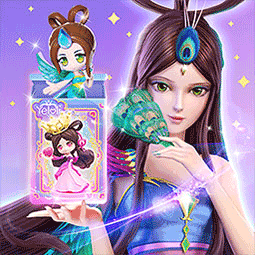


About Makeup Beauty
Makeup Beauty belongs to the makeup & beauty makeover genre, a long-running category of browser and mobile casual games where players give a virtual character a full beauty transformation. This build follows the genre's familiar structure: starting from a plain "before" face, the player typically works through a skincare or cleansing step, then applies makeup in layers (foundation, eyeshadow, eyeliner, mascara, blush, lipstick), before finishing with hairstyle, accessories, and outfit choices. Progress is usually shown as a before-and-after comparison at the end. As with most games in this genre, it runs instantly in a web browser with no installation, download, or account required, using simple point-and-click or tap-and-drag interactions suited to both desktop and mobile play.
How to play Makeup Beauty
- Start with the character's plain "before" face and, if the build includes one, complete any skincare or cleansing step (washing, blemish removal, mask) before makeup begins.
- Apply base makeup first - foundation and concealer - to even out the skin tone.
- Add eye makeup in layers: eyeshadow, then eyeliner, then mascara or lashes.
- Add blush and lipstick or gloss, choosing shades that complement the eye makeup already applied.
- Style the hair (cut, color, accessories) and pick an outfit to complete the overall look.
- Finish the look and view the before-and-after comparison, replaying with different color or style choices if you want to try again.
Controls
- Desktop: Point and click with the mouse to select colors, tools, and items; click-and-drag to apply makeup, move accessories, or position hair and clothing layers; on-screen buttons or arrows advance between steps.
- Mobile / tablet: Tap to select tools, colors, and clothing/accessory items; drag or swipe with a finger to apply makeup and position items; pinch-zoom may be available on some builds for detail work.
Makeup Beauty tips & strategy
- Work through steps in the order the game presents them (skin prep, then makeup, then hair/outfit) since later choices usually build on earlier ones.
- Zoom in when the option is available before detail work like eyeliner or lashes, for cleaner application.
- Coordinate colors across eyeshadow, lips, and outfit rather than picking each element in isolation - matching palettes tend to look more polished in the final comparison.
- Try a few different color combinations before finalizing, since most of these games let you freely swap shades until you confirm a step.
- Don't skip the skincare or cleansing stage if one is offered - it is often required before the makeup tools unlock.
- Spend the most care on eyes and lips, since they usually have the biggest visual impact on the finished look.
What makes Makeup Beauty fun
Browser makeover games like this typically play instantly with no download or sign-up, on desktop or mobile.
Makeup Beauty FAQ
How do I play Makeup Beauty?
Work through the makeover steps in order - typically skin prep, then makeup (foundation, eyes, lips), then hair and outfit - using click or tap controls to select and apply each item to the character.
Is Makeup Beauty free to play?
Browser games in this style are typically free to start playing in the browser, with no purchase needed to begin.
Do I need to download or install anything?
No. It runs in your web browser, so there is nothing to download or install.
Can I play Makeup Beauty on my phone?
Yes - browser makeover games are generally built to support touch controls (tap and drag) on mobile as well as mouse controls on desktop.
What's the basic strategy for a good makeover?
Follow the intended step order, coordinate color choices across eyes, lips, and outfit, and use any zoom or detail tools for cleaner application before finishing the look.
Can I redo or change my choices?
Most makeover games let you freely reselect colors and items before you finish the look, so you can experiment; check for an undo or reset option if you want to redo a section.
Games like Makeup Beauty
🔥 Popular games
See all →





